Supporting Children’s Growth and Development Through Better Resources
Many parents worry about helping their kids grow and learn. Studies show that early childhood education shapes a child’s future success. Here we will share simple ways and key resources to support your child’s development at every stage.
You’ll also find tips that make a real difference by discovering how to support physical, cognitive, and emotional growth in ways that fit your child’s needs.
Key Areas of Child Development
Children grow in many ways as they get older. Each part of growth needs special care and support for the best results.
Physical Development
Good nutrition helps bodies grow strong. Kids need healthy meals with protein, fruits, and vegetables. Daily movement matters for muscles and bones. The CDC says kids ages 3 to 5 should be active throughout the day.
For ages 6 to 17, one hour of physical activity is ideal each day.
Playgrounds, parks, and safe spaces let little ones run and play. Simple activities like jumping rope or playing tag support motor skills. Dr. Sarah Lee from the CDC said, active children have better heart health and stronger muscles.
Early childhood education centers often provide games that help balance and coordination. Parents can use toys like balls or tricycles at home too. These resources support child development by making movement fun.
Cognitive Development
Cognitive development is key for children. This area covers how kids think, learn, and solve problems. From ages zero to five, brain growth happens rapidly. Children learn by exploring their surroundings and asking questions.
They develop skills like memory and attention during this time.
Parents can help boost cognitive growth through play and conversation. Reading books together sparks curiosity and builds language skills. Playing games that require thinking helps too.
Engaging in creative activities encourages problem-solving abilities as well. Creating digital scrapbooks with family or school memories is a fun way to practice organizational and storytelling skills. Early childhood education programs offer great learning resources for families wanting to support child development effectively.
Social and Emotional Development
Social and emotional development helps children form healthy relationships. It shapes how they feel, express emotions, and interact with others. Kids learn to manage their feelings through play and connection with adults.
These interactions are crucial for building trust and confidence.
Positive experiences early on can reduce stress in children. Supportive environments help kids navigate challenges as they grow. They need safe spaces that encourage exploration and self-expression.
This lays the groundwork for cognitive development, which is essential for learning new skills.
Evidence-Based Approaches to Nurturing Growth
Evidence-based approaches help children grow in healthy ways. Here’s how to build strong bonds, while reducing toxic stress creates a safer space for kids to learn and thrive.
Serve and Return Interactions
Serve and return interactions help children learn and grow. This process involves back-and-forth communication between a child and an adult. For example, when a baby coos or babbles, the parent responds with words or sounds.
This exchange builds language skills and emotional connections. It also helps set the stage for social development.
Healthy serve and return interactions protect kids from stress. Warm responses from caregivers can lower anxiety in children. Engaging in these exchanges boosts confidence too. Families can create more opportunities for this type of interaction by playing games or reading together.
Building such connections lays a solid foundation for future learning experiences. The next section will focus on reducing toxic stress to further support children’s growth.
Reducing Toxic Stress
Serve and return interactions help build strong relationships. These connections can shield children from harmful stress. Harmful stress happens when children face trauma or constant worry without support.
It can harm their brain development and overall well-being.
To reduce harmful stress, families should focus on providing stable environments. Safe spaces give kids a sense of security. Loving caregivers play a key role too; they offer comfort during tough times.
Families can also seek community programs for extra support and resources. Simple actions like talking, playing, and listening create a nurturing atmosphere that promotes healthy growth in young ones.
However, when the causes of trauma are severe or persistent, it is essential to know when to seek professional help in a highly structured setting, such as a children and teen treatment center. This will not only provide the safety and comprehensive support they need to mitigate toxic stress, but will also educate families on how to provide this safety and support.
Resources for Families to Support Development
Families can find many tools to help their children grow. They can explore guides that list what kids should learn at different ages and ways to connect with others for support.
Developmental Milestones by Age
Developmental milestones help track a child’s growth. They show how children learn and change over time.
- From birth to 3 months, babies start to smile. They recognize faces and can lift their heads while lying on their stomachs.
- At 4 to 6 months, infants can roll over and sit with support. They babble and make sounds to express joy or frustration.
- By 7 to 12 months, children crawl and may take their first steps. They begin to say simple words like “mama” and “dada.”
- Between 13 and 18 months, toddlers may walk alone and explore their surroundings. They point at objects they want and imitate actions.
- From 19 to 24 months, children start combining words into two-word phrases like “big truck.” They are curious about everything around them.
- During the ages 2 to 3 years, kids can run, jump, and climb easily. Their vocabulary grows quickly as they learn new words daily.
- Ages 3 to 4 years bring more imaginative play. Children will enjoy pretending with toys; they also follow simple rules in games.
- By the ages of 4 to 5 years, kids are more independent. They can dress themselves and begin writing some letters or numbers.
Keeping track of these developmental milestones helps parents support children’s growth effectively. Parents can find a wealth of information and support through free autism resources for parents to better understand their child’s needs.
Parent Guidance and Support Tools
Parenting can be challenging. The right tools can make a big difference.
- Parenting classes offer parents knowledge about child development. These classes help them understand what to expect at different ages.
- Online resources provide articles and videos on various topics. Parents can learn about effective discipline, communication, and play.
- Support groups connect parents with others facing similar challenges. Sharing experiences helps build community and offers emotional support.
- Developmental milestone charts give clear guidelines on what children should achieve at each age. This helps parents track growth and seek help if needed.
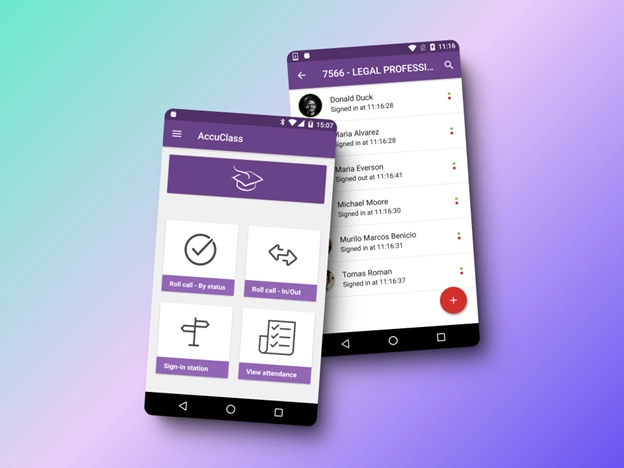
- Mobile apps offer daily tips and activities for engaging children. Parents can find ideas to promote learning through play.
- Local libraries often have parenting resources available for checkout. Books cover a range of topics from health to education.
- Websites dedicated to child welfare provide parenting tips based on research. They focus on safe practices that benefit children’s growth.
- Family engagement programs encourage bonding through shared activities. These programs help families spend quality time together while learning new skills.
- Community workshops teach useful skills like cooking or budgeting for families with young kids. These skills support the family unit as a whole.
- Many non-profits offer free resources to assist families in need, including food, clothing, and educational materials to help all children thrive.
These tools give parents the support they need to foster their child’s growth and development effectively.
The Role of the Environment in Child Development
The environment shapes a child’s growth. Safe and engaging spaces help kids learn and explore better.
Impact of Early Experiences and Exposures
Early experiences shape a child’s growth. These moments can influence their health and learning. Positive interactions help children build trust and confidence. Safe spaces allow them to explore freely.
Exposure to different sights, sounds, and people encourages curiosity.
Negative experiences create stress that harms development. Toxic stress can lead to long-term problems in behavior and learning. Children need support during tough times to help them cope well.
Engaging with caring adults makes a big difference in their lives. Strong relationships help foster emotional strength, paving the way for better social skills and resilience later on.
Next, we will discuss the importance of safe and stimulating spaces for child development.
Importance of Safe and Stimulating Spaces
Safe and stimulating spaces are vital for child development. Children learn best in environments where they feel secure. These spaces should encourage exploration and play. They help kids develop their physical, social, and emotional skills.
A safe area allows children to take risks without fear. This promotes confidence and independence. Fun activities and learning materials spark curiosity too. Engaging with different textures or colors can boost cognitive growth as well.
Families should create these types of environments at home.
Supportive community programs also offer great resources for families looking to enhance their child’s space for growth and learning opportunities.
Conclusion
Children grow and learn every day. Good resources help them thrive. Support from parents and the community is key. Safe spaces and strong interactions boost development. Investing in our kids leads to brighter futures for all of us.