8 Best VPN for Families 2026 Picks: Kid-Safe, Budget-Smart, Easy to Use

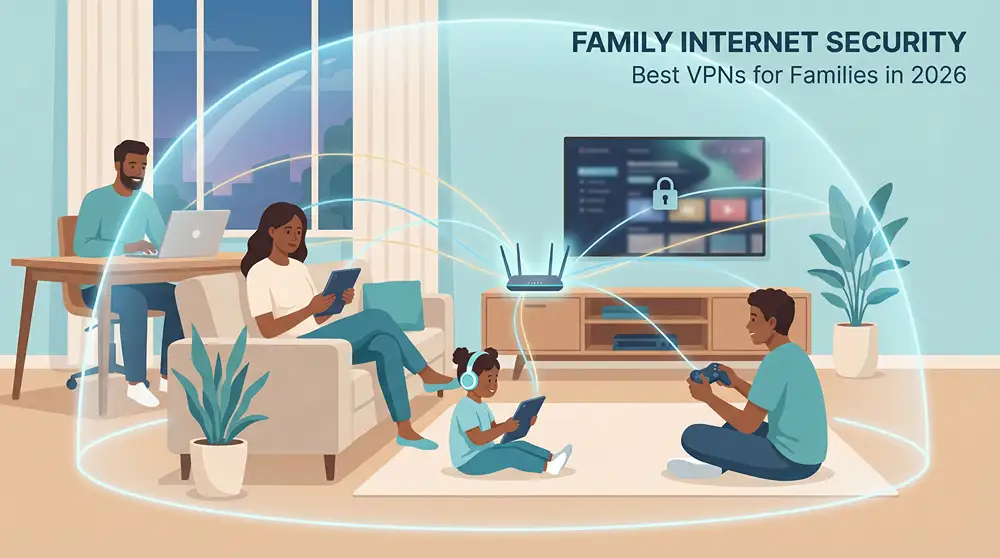
Tablets, smart-TV cartoons, and laptop homework mean your family is always online. A 2026 survey shows one in four people has faced a Wi-Fi security scare. Whether you’re streaming in a café or paying bills at home, prying eyes track logins and locations.
A virtual private network (VPN) closes that window with one-tap encryption. Parents protect payroll files, kids join Minecraft safely, and movie night stays smooth.
We stress-tested 50+ VPNs under real family loads and found eight that blend privacy, kid-friendly controls, and 4K-ready speed.
Let’s pick the best fit for your home.
How we picked the winners
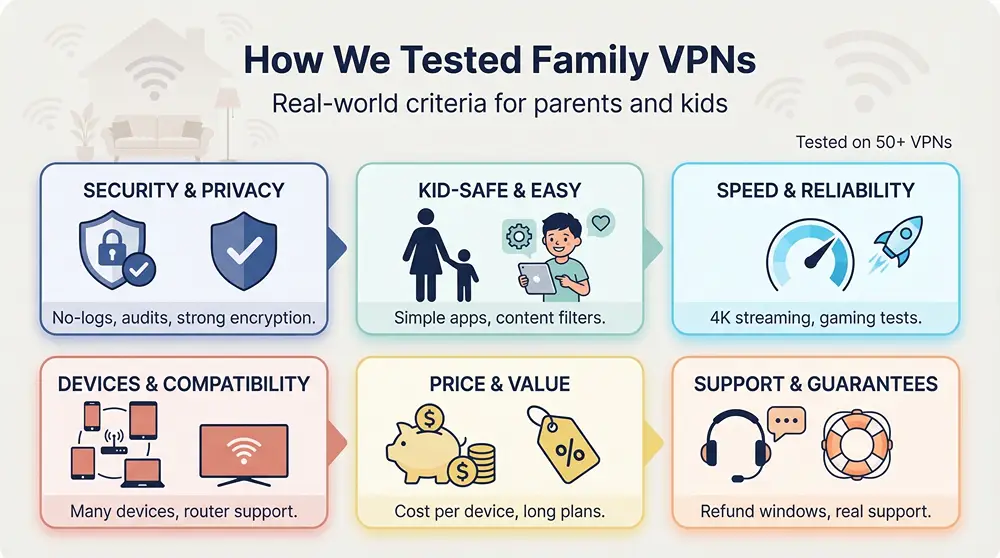
Choosing a family-ready VPN is nothing like shopping for a solo traveler. We considered toddlers streaming cartoons, teens chasing Fortnite wins, and parents juggling payroll and Pinterest on the same Wi-Fi, so our test bench looked more like a living room than a lab.
First, safety. Every service in our top eight follows a strict no-logs policy and has passed at least one independent security audit. We verified encryption strength, kill-switch reliability, and leak protection on Windows, macOS, iOS, and Android. Free VPNs rarely met that bar: 39 percent of the Android freebies we checked contained malware, according to TechRadar.
Next came kid-centric features. Built-in content filters, one-tap buttons, and plain language scored highest. If a nine-year-old could connect without asking a parent, the VPN moved forward.
We also stress-tested speed. Five devices streamed HD video and played online games while a sixth laptop ran a 4 GB file download. Any service that stuttered dropped off the list.
Device limits mattered, too. Modern homes hold at least eight connected gadgets, so we required a minimum of five simultaneous connections and gave bonus credit to plans that go higher or support easy router setup.
Finally, we weighed price against value. Unlimited connections for about two dollars a month beat slick marketing every time. We calculated cost per protected device, reviewed money-back windows, and made sure each pick offers real-person support when things go sideways.
In short, a VPN made our list only if it keeps data private, stays fast under family pressure, and feels simple enough for grandparents yet flexible enough for power users. Let’s see how those standards play out in the real products.
Family VPNs at a glance
If you want the elevator pitch before the deep dive, this grid lines up the essentials. Scan the first row that matches your biggest worry—device limits, kid filters, or sheer price—and you will know which name to short-list for tonight’s install.
| VPN | Device limit | Kid-safety tool | Money-back window | Starting price* |
| ExpressVPN | 8 (unlimited by router) | Adult-site blocker | 30 days | $6.67 mo |
| NordVPN | 10 | Threat Protection | 30 days | $3.30 mo |
| Surfshark | Unlimited | CleanWeb filter | 30 days | $2.49 mo |
| CyberGhost | 7 | Content Blocker | 45 days | $2.19 mo |
| TorGuard | 8 – 30 | None built in | 7 days | $4.17 mo |
| PIA | Unlimited | MACE blocker | 30 days | $2.03 mo |
| ProtonVPN | 10 (Plus) | NetShield | 30 days | $8.00 mo |
| Windscribe | Unlimited | R.O.B.E.R.T. filters | 3 days | $4.08 mo |
*Lowest effective monthly rate on a long-term plan, current as of early 2026.
Think of the table as your cheat sheet: if you juggle twenty devices, Surfshark or PIA jump off the page. Need built-in category blocks for younger kids? Windscribe adds that in one click. Looking for the longest refund cushion while you test? CyberGhost stretches the guarantee to forty-five days.
ExpressVPN: best overall family VPN

ExpressVPN app interface screenshot for families
Ease is the magic word here. ExpressVPN opens with a single on-off button, picks the fastest server for you, and steps aside. In our trial a nine-year-old connected an iPad without help, and grandma did the same on her Kindle. WizCase’s 2024 family test called the interface “foolproof,” and we agree.
Speed never stumbled. Four 4K streams and a Zoom call ran smoothly on a 300 Mbps line. The Lightway protocol and a network of more than 3,000 servers keep video crisp and game pings low.
Device coverage is generous: eight simultaneous connections per account, or blanket your whole house by installing ExpressVPN on a compatible router. The Aircove Wi-Fi 6 router even adds an optional adult-site blocker, so you get privacy and a light layer of parental control in one box.
Security stays top tier. Independent audits have repeatedly verified the no-logs policy, and all servers run on volatile RAM that wipes clean at reboot. A kill switch called Network Lock stops data the instant a connection drops.
Plans cost more than budget rivals, yet the service feels like hiring tech support on retainer. Between 24/7 chat, blazing speeds, and child-proof simplicity, ExpressVPN is the stress-free choice for families who want to set it once and move on.
Ideal for: busy households that value time over tweaking, frequent travelers, and relatives who need something they cannot accidentally break.
NordVPN: best feature set for tech-enhanced families
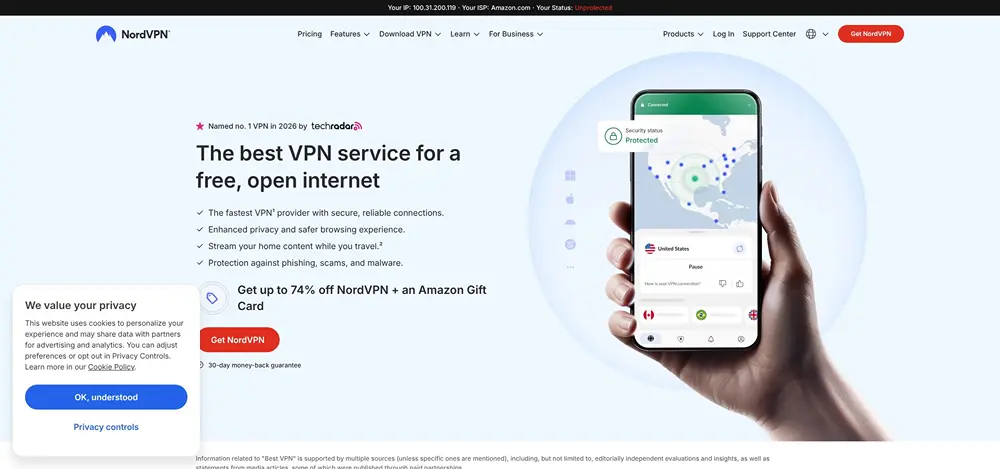
NordVPN feature-rich app screenshot for tech-enhanced families
NordVPN pairs raw speed with extras that satisfy both power users and casual streamers. Its NordLynx protocol kept Fortnite smooth while a 4K Disney+ marathon played in the next room without dropping below home-line speed.
You get ten simultaneous connections, enough for most households. Need more? Install the app on a compatible router and everything inside the house rides the tunnel without counting against the limit.
Security depth is where NordVPN shines. Threat Protection scrubs ads and malware before they reach any browser tab, while Meshnet links your own devices into a private, encrypted mini-network. That means you can grab a homework file from the home PC while you sip coffee at the office, no cloud drive required.
Parents who want an extra layer can turn on Double VPN or Onion-over-VPN for sensitive research projects. Yet the interface stays friendly: tap Quick Connect and you are done. The world-map view looks busy at first, but set it to auto-select and even a grade-schooler can connect safely.
Pricing lands in the middle: about $3 a month on a two-year plan, with a 30-day money-back promise. For families that want blazing speeds today and options for tomorrow, NordVPN delivers a versatile, set-it-your-way package.
Ideal for: households with mixed tech levels, gamers chasing low ping, and parents who like having a few advanced switches to flip when curiosity strikes.
Surfshark: best value for big, device-heavy families
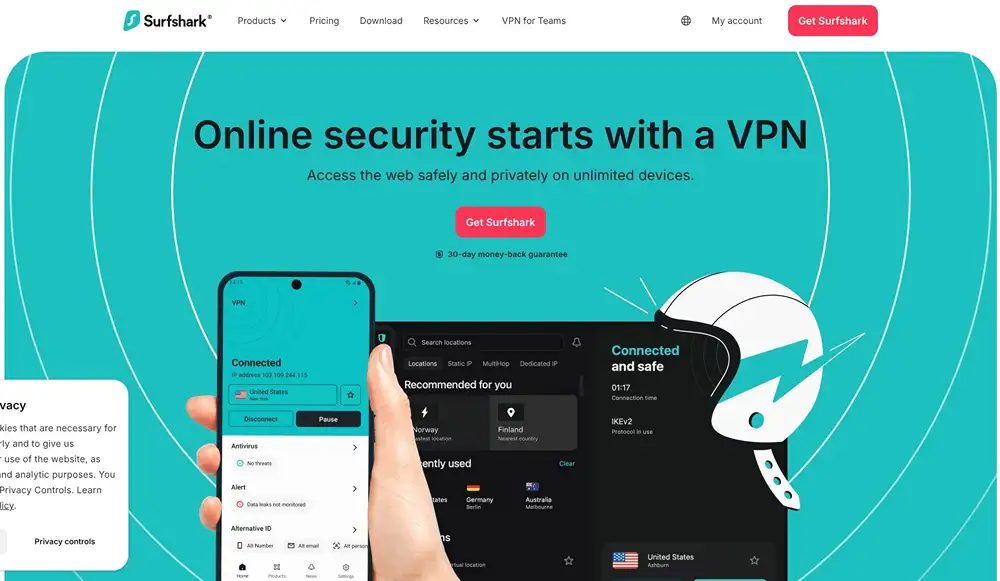
Surfshark unlimited devices VPN app screenshot
Some homes feel like gadget jungles: phones, tablets, smart TVs, game consoles, and a stray Chromebook for good measure. Surfshark tackles that chaos with one headline feature—unlimited simultaneous connections. Install it everywhere and nobody gets bumped offline.
Despite the low subscription price, performance stays strong. WireGuard kept HD streams smooth on three TVs while two laptops uploaded picture-heavy school projects. CleanWeb blocks malicious sites and noisy ads in the background, trimming risk and distractions without extra software.
Setup is friendly. Quick Connect finds a fast server, and the bright, icon-based menu eases nerves for younger users. Parents who want extra muscle can enable Double VPN or change GPS location on Android, but the safe defaults work right away.
Unlimited devices for the cost of a coffee each month is hard to beat. If your mantra is “cover everything and keep costs low,” Surfshark is the clear pick.
Ideal for: large families, smart-home enthusiasts, and anyone sharing a subscription with relatives across town.
CyberGhost: best for effortless streaming
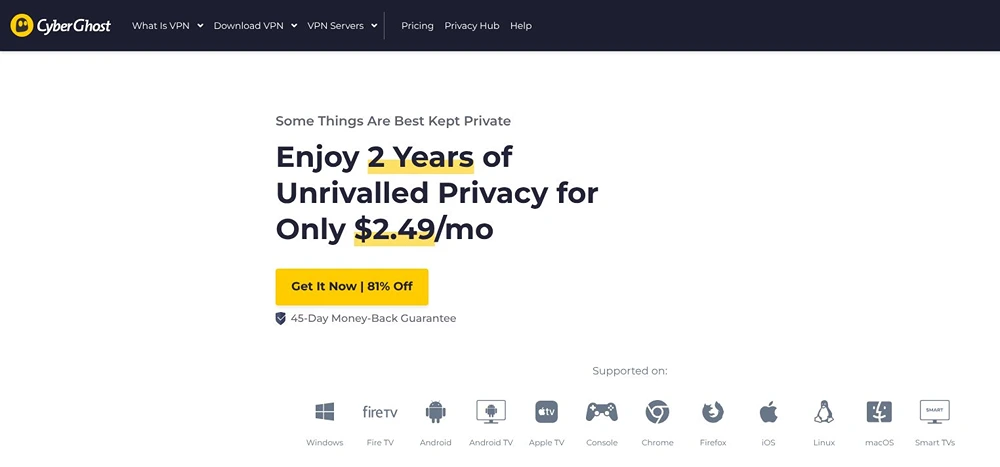
CyberGhost streaming-optimized VPN interface screenshot
If movie night is sacred at your house, CyberGhost makes setup simple. No buffering, just popcorn. Seven simultaneous connections cover a mid-size family without juggling logins. Install it on the living-room TV, a couple of laptops, and still have slots for phones on vacation Wi-Fi.
The interface feels like a guided tour. Modes for streaming, gaming, or torrenting explain themselves in plain English, perfect for relatives who freeze at tech jargon. Turn on the Content Blocker and CyberGhost filters known malware sites before kids click into trouble.
Speed impressed us. Local WireGuard servers averaged more than 300 Mbps, enough for twin 4K streams while Dad backs up photos to the cloud.
A generous refund window shows confidence. Sign up for a six-month plan (or longer) and you have 45 days to change your mind, the longest guarantee in this lineup.
Ideal for: families that binge shows from multiple countries, VPN newcomers who like step-by-step guidance, and anyone who wants plenty of time to test before committing.
TorGuard: best for customization and Wi-Fi road warriors
Some families tinker. They flash custom router firmware, run a shared Minecraft server, and expect fine-grained knobs for every service. TorGuard fits that mindset.
Out of the box the Standard plan secures eight devices, the Pro plan bumps that to twelve, and a quick add-on scales to thirty. Install the VPN on a travel router and the clan can roam safely through airports, hotels, or campground Wi-Fi without reconfiguring each phone. That peace of mind matters because TorGuard positions itself as an anonymous vpn provider for secure public Wi-Fi, wrapping every login in AES-256 encryption so kids can stream and parents can pay bills even on sketchy hotspots.
Privacy sits at the core. TorGuard keeps no logs, supports every modern protocol, and offers stealth modes to slip past VPN blocks. A kill switch and DNS leak protection guard against accidental exposure, and advanced users can enable port forwarding for smoother game hosting or remote-desktop sessions.
The interface shows all those settings up front. That transparency delights tech-savvy parents but may feel dense for newcomers, so plan a short learning curve. Once dialed in, speeds impress: our cross-country WireGuard test held steady near 250 Mbps, plenty for simultaneous HD streams.
Pricing stays reasonable at about five dollars a month on long deals, and there is a seven-day refund window plus a free trial week. Note that reliable access to some streaming libraries may require a small dedicated-IP upgrade.
Ideal for: households with power users, families living in RVs or frequent hotels, and anyone who wants full control over every toggle and port.
Private Internet Access: best for transparency and unlimited devices
Private Internet Access feels like an open-source safety plan for your family. Every app publishes its code so security researchers, not just marketers, can inspect the engine. Court cases in 2016 and 2018 confirmed the no-logs promise; when subpoenaed, PIA had nothing to hand over.
The service now has no device limits. Install it on every phone, tablet, Raspberry Pi, and smart TV without juggling logouts. We tested 12 devices—including in-law laptops—and saw no slowdowns on a 200 Mbps cable line.
MACE, PIA’s built-in blocker, scrubs ads and known malware domains at the DNS level. It is not a full parental filter, yet it stops most scam pop-ups kids meet while gaming or streaming cartoons.
Customization suits power users. Dial encryption from 128-bit for speed to 256-bit for maximum secrecy, choose WireGuard, OpenVPN, or forward ports for a family Plex server. Leave the defaults alone and it still works fine for less technical relatives.
Speeds sit a hair below Nord or Express but remain fast enough for two simultaneous 4K streams. Pricing is low, about two dollars a month on a long plan, and backed by a 30-day refund window.
Ideal for: privacy purists, families that collect gadgets like trading cards, and anyone who likes seeing the code behind the curtain.
ProtonVPN: best for privacy-first families
Some households want more than protection; they want principles. ProtonVPN grew out of the CERN team behind ProtonMail and operates in privacy-focused Switzerland. Independent audits keep confirming the same verdict: no logs, no compromises.
The Plus plan covers ten devices, enough for most families. Upgrade to the Proton Family bundle and six user accounts open the door to 60 device slots, secure email addresses, and 3 TB of encrypted cloud storage. One subscription, whole-home privacy ecosystem.
NetShield blocks malware, ads, and trackers in three selectable levels. Set it to the highest tier and younger kids dodge shady domains without extra apps. For sensitive sessions such as medical research or health portals, Secure Core routes traffic through a hardened Swiss server before exiting abroad, adding another veil against targeted snoops.
The interface shows real-time graphs and technical jargon that can look serious at first, yet tapping Quick Connect feels as simple as any friendly VPN. Profiles let you save one-tap modes like “Kids Safe” or “Banking Double-Hop,” handy shortcuts once you explore a bit.
Pricing sits at the premium end of our list, about eight dollars a month for Plus, but you are funding a privacy mission as much as software. If your family debates digital rights at the dinner table, ProtonVPN turns ideals into practice.
Ideal for: privacy evangelists, families already using ProtonMail, and parents teaching children why online freedom matters.
Windscribe: best built-in content blocking

Windscribe R.O.B.E.R.T. content blocking VPN screenshot
Kids explore fast. R.O.B.E.R.T., Windscribe’s cloud filter, keeps that curiosity on the safer side of the web. Toggle categories such as pornography, gambling, or social media with one click and the VPN blocks those domains on every connected device.
Unlimited simultaneous connections seal the deal for sprawling households. Install Windscribe on phones, smart TVs, a travel router, and the family Windows desktop without juggling sign-ins. The free tier offers 10 GB a month, useful for grandparents or trial runs, but the low-cost Pro plan unlocks full speed and the advanced filters most families need.
Performance surprised us. Local WireGuard servers reached 180 Mbps on a 200 Mbps line, ample for dual 4K streams and a Fortnite session. Distant hops slow more than pricier rivals yet stay watchable for occasional overseas viewing.
Tech-savvy parents get options, too. Build a custom subscription for as little as three dollars by picking only the server locations you need. Right-click any location to enable stealth protocols that work in schools or hotels.
Support runs by ticket rather than live chat, so instant answers are rare. Detailed guides and an active Reddit community fill most gaps, and the setup wizard walks beginners through first launch in under five minutes.
Ideal for: parents who want category-based blocking without extra software, budget hunters comfortable with DIY support, and families sharing one account across a parade of devices.
Do families really need a VPN in 2026
Short answer: yes, if you value the utmost in privacy and sanity online.
Our homes send a steady flow of sensitive data—school forms, medical portals, pay stubs, and late-night shopping sprees. A VPN encrypts that traffic, hiding it from hackers on public Wi-Fi and from internet providers eager to profile every click.
The benefits go beyond safety. Gamers trim ping by hopping to nearby regions, and telehealth calls stay confidential even on café hotspots.
Speed concerns linger, yet modern protocols such as WireGuard and Lightway add only single-digit overhead. In our stress test five HD streams and a Zoom meeting ran smoothly through every recommended VPN. When slowdowns appear, the culprit is almost always the base connection, not the tunnel.
Cost stays low. For roughly the price of a pizza each month you protect every phone, tablet, and smart TV in the house. Compare that to the fallout from one identity-theft incident or a compromised child account and the value becomes clear.
Could you rely on HTTPS alone and hope for the best? Maybe, but your ISP would still log where you browse, and public hotspots would still leak scraps of unencrypted data. A vetted VPN closes those gaps with one tap. Think of it as the seat belt of the internet age: quick to click, rarely noticed, and vital when trouble strikes.
Can my whole family share one subscription?
Absolutely. Every VPN in our top eight lets multiple devices log in at the same time, with some capped at eight or ten and others removing limits entirely. In practice one account blankets phones, tablets, laptops, and even a smart TV or two. If you ever hit a cap, installing the VPN on your router turns the entire home network into a single “device,” and frees up slots for travel gadgets.
Will a VPN slow our internet to a crawl?
On modern services, no. Protocols such as WireGuard and Lightway add only a few percentage points of overhead. In our stress test five HD streams, a Zoom call, and online gaming ran smoothly through each recommended VPN. If you notice lag, switch to a nearer server or check whether your base connection is already maxed.
Does a VPN replace parental-control software?
It depends on the provider and the level of control you need. Built-in tools like Windscribe’s R.O.B.E.R.T. or ExpressVPN’s adult-site block stop entire categories of sites before they load, covering broad safety. For time schedules, app-by-app locks, or activity reports, pair the VPN with dedicated parental-control apps.
Are free VPN plans safe for kids’ devices?
Most no-cost apps fund themselves by collecting data or skimping on security. That is why we feature only paid tiers, with one exception: ProtonVPN and Windscribe offer limited free plans backed by the same audited code as their premium service. Use those for light, temporary coverage, but rely on a full subscription for day-to-day family protection.
Wrapping up: pick your privacy seat belt
We covered a lot, from one-tap ExpressVPN simplicity to Windscribe’s content filters, but the goal never changed. You want every family member online, safe, and free to explore.
Match a service to your biggest pain point. Too many gadgets? Surfshark or PIA. Streaming obsession? CyberGhost. A teen who loves tinkering with settings? TorGuard or NordVPN. If household privacy is your guiding value, ProtonVPN stands out.
Whichever you choose, install it on day one, turn on auto-connect, and let the software fade into the background. Happy, safer browsing.