Category: Safety | Internet Security

Common Scams to Be Aware Of and Prepare For – Part 1
Common Scams to Be Aware Of and Prepare For

So many scams, too little time to stay ahead of them all. Cyber criminals are not nice people, but they certainly are creative; always thinking of new ways to scam you. Scammers are opportunists working in multiple areas at the same time. Their motivation is money. They will either access your personal information and sell it to others or easily steal your money outright.

You may not know about every scam that’s on the internet or offline in the real world. But there are common ways of how you can be aware of and prepared for all potential scams. That doesn’t mean you shouldn’t try to learn about old scams and new ones that are created.

Common Scams to Be on the Look Out For

In Part 1 of our scam awareness series, we look at common scams and new scams that are ever emerging.  Through this education on scams, you’ll notice a persistent theme of how you can be prepared. Even if a brand-new scheme designed to fool you rears it’s ugly head for the first time, there are consistent things you can do to protect yourself.

Most people become victims of scans through email and texts.  The first defense against malicious messages is to follow the SLAM Method.

SLAM stands for Sender, Links, Attachments, and Message. All of these elements should be scrutinized.  

Sender: Don’t accept message requests from outside of your known circle of friends or connections.  Don’t accept friend requests from anyone you don’t know.

Links:  Do not click on any links in social media posts, profiles or messages unless you can see the full URL and be certain that the site is legitimate.

Attachments: Never download or open attachments from social media posts, profiles or messages.

Message:  Look carefully at the body of any social media message or post that you are interacting with. If it feels off, contains misspellings, off grammar or even uncharacteristic emojis, you might be looking at a phishing attempt.  Be wary of messages that push you to take some urgent action or another.

Remember the SLAM Method throughout our scam educational series.  But we’ll also be looking at scams that also happen via direct communication with scammers.  Let’s begin!

Charity Scams

Types of charity scams include:

Crowd Sourcing Scams:  Don’t take for granted that all is legit. Scrutinize the validity of the crowding funding request.

Post Tragedy Scams:  When a tragedy strikes, scammers will sometimes spoof the website or create a site that closely resembles the site of a legitimate donation site.

Firefighter, Police and Military Scams:  These scammers will often use familiar or local organizations to build trust and take people off guard.   Some will directly target military veterans and their families.

Warning Signs of Charity Scams:

  1. Requests for cash, money wire, or gift card donations can be a red flag. Use a credit card instead.
  2. Non-tax deductible donations are a red flag that a charity may not be legitimate.
  3. Pressure Tactics: Real charities will never use a hard sell or pressure tactics to solicit a donation.
  4. Fake information: Charitable donation websites almost always end with .org and domains will always start with https:// not http:// without the “s”.

Beware of fake charities based related to common world issues, such as what happened during the pandemic. Scammers prey on the emotions of people who want to help those in need of disaster relief, such as during war or refugees fleeing their country for safety or a better life.  Charity and disaster fraud often increases during the holiday season.

Cybercriminals will also call people thanking them for a previous donation, a donation which may have not been made. Veteran fraud and disaster fraud are often the premise used for fake charity scams.

Marketplace Scams

There are two categories within marketplace scams.

Non-Payment Scam:   In a non-payment scam, cybercriminals will use a phony screenshot of a completed cash transfer to trick a victim into shipping an item.

Non-Delivery Scams:  Scammers trick victims into paying for goods and services that are never delivered.  They offer prices that are almost too good to be true.

Non-delivery scams advertise popular items and services at deeply discounted prices and ask for payment using gift cards or cash payment through a payment app.

Marketplace scams come in many forms so always be cautious.  These creative types of scams also happen when individuals are selling items online.

Prevention Tips:

  1. Know your marketplace:  When shopping online, do so on trusted sources with secure processing and payment policies that protect consumers.
  2. Use a credit card:  Credit card companies have systems and policies in place to protect against a fraud.
  3. Stay on the platform you are shopping on:  Scammers will try to bait their victims into leaving the marketplace platform for messaging and payment.

Gift Card Scams

It may seem obvious to many that that any legitimate organization would ask to be paid in gift cards.  Still, it’s a common scan that pulls people in. Scammers create a sense of fear and urgency pressure their targets into acting quickly without thinking. Asking to keep the transaction a secret is a warning sign of a gift card scam.

Cyberthieves prefer gift card payments because they offer anonymity.  Unlike other forms of payment, transactions can be anonymous and are difficult to trace or reverse, unlike bank transfers.  Gift cards are also widely available and offer immediate access to funds once the victim buys a gift card at a local store and send the scammer the number and pin to redeem the funds.

What To Do If You Are Targeted

Any gift card payment request is likely a scam and should be ignored. If you receive a phone call, email, or text message requesting a gift card as payment, immediately hang up or delete the message.

Contact the company directly using a known number or email address instead. If you have an account with the organization, log into your account to see if there are any notices, such as an overdue payment.

Display Name Scams

Display name spoofing occurs when the cybercriminal manipulates the sender’s display name or makes the display name look like an email address.  Seeing a legitimate display name deceives you into believing that it’s from a trusted email source.

If a sender looks familiar, but the message makes unusual requests, it is best to contact the person or company directly through another method of contact.

Delivery Scams

Types include:

Pet Delivery Scams: These are fake ads where payment is required upfront.

  • Protect yourself asking to see the pet in person before you pay.

Fake Delivery Notifications:  Here, scammers mimic big name online shopping or shipping companies in their delivery scam messages. They claim there is a problem with the delivery of your package, or you need to confirm something has been delivered.

  • Be cautious of clicking on links or downloading attachments.  Never enter personal information when requested. Verify the tracking number and status of a delivery through the companies’ official website. 

Non-Delivery Scams:  An example of a non-delivery scam in this training involves making a purchase online, but never receiving the order or confirmation details of the purchase.  Only make purchases on reputable websites.

  • When you do make an order, follow up immediately if you don’t receive a confirmation of your order. Check the address on the website and phone number. 

If you are unable to make contact and your credit card was charged by a non-delivery scammer, you should call your credit card company and consider deactivating the card.

Transportation Scams

Scammers will make phone calls or send messages via text or email claiming that your flight has been delayed or cancelled. Messages will likely include links that offer a refund for the flight or an opportunity to rebook for a small fee.  Airlines will never ask for a fee to rebook. Contact your airline directly on their website or call them to enquire about the status of your flight.

Cyberthieves also set up fake websites or send messages offering deals on rental cars as well. Always verify the URL and company phone number before booking. In your unsure, going to directly to the official website is always better than clicking a link.

Learn the dangers of freight scams.  Be on the look out for gifts and rewards being offered by transportation companies. Tread carefully and do your research before jumping on a deal that may be a scam created to steal your information or your money.

Technical Support Scams

Technical support scams often involve cybercriminals pretending to work for well-known companies to fix non-existent issues. They manipulate victims to build trust and convince them to comply with their demands.

A scammer gaining remote access to your device remotely can install harmful software or access sensitive data, leading to significant privacy and financial risks.

Requests for payments to be made via gift cards or cryptocurrencies should always be treated as a scam.

Technical support scams often start with unsolicited pop-ups or phone calls warning of an issue with your device.  These tactics are designed to create urgency and trick victims into engaging with the scammer.  Malware may contain a fake phone number urging you to call to fix issues you are having with your device.

Pop-ups may happen when visiting infected websites.  Or, they can occur if your computer is infected by malware. To guard against these issues, install anti-malware software to both prevent and remove malware.

Even if you are certain that you may be dealing with a legitimate company who has called about your account, express your concern and state that you wish to call them back directly using a phone number posted on their companies official website.

Never give our personal information to anyone that calls you.  Legitimate companies will not call you and ask you for personal information.  Remember, that with much of our personal information being available on the dark web due to data breach, scammers can easily sound like they are legitimate when they state facts about your personal info.

Conclusion

Most scams come to us when we have our guard down. They prey on our emotions by using fear filled headlines or threats of potential loss of accounts or hard-earned dollars. It’s not uncommon to receive an email, phone call, or text that is related to something we have already done.

You may be expecting a package that you ordered a few days earlier. You may have booked a flight.  Maybe you happen to be needing of a product or service. That fact that relevant messages come to us are simply a coincidence. When you receive a text or email out of the blue, always ask the question; “Is this real? Or is it a scam?”

Some scams also encourage users to download malicious apps in order to receive a reward or discount. This does not prey on our fear, but entices a natural human desire for personal gain. Be cautious of all app downloads in every situation.

In one second you could infect your devices with malware to give away personal login information. However, it only takes a few seconds more to carefully review the message to verify it’s legit. When in doubt, go to Google and search for the company. Visit their website directly. Or, login to trusted websites directly at the source from a personal bookmark, not though an email link.

If an email or text message lines up with a legitimate notice about a login verification or purchase you just made, it’s still a good idea to only click the link after you’ve double checked that it’s not going you to a different site.  This can be done by hovering over the link to see the destination.

Continue to educate yourself on how to spot scams, while being mindful that exercising caution is your first best step to protecting yourself.   Be prepared by thinking twice before you click or react to any message or phone call. Take a breath and take the time to do a bit of research. I will save you a world of trouble.

Continue your education, read about Common Scams – Part 2.
Read our Glossary of Online Scams and Cyber Threats

Share This Article

Emerging Online Scams and Security Risks

Emerging Online Scams to Beware Of

The Latest Emerging Phishing Scam that almost had this Scam-Savvy Expert Duped: The email looked legitimate specifically because it warned me not to click any links. In fact, there weren’t any links to click, at first. What started as a warning about a fake website turned out to be a clever bait-and-switch.

Read the Full Story on our Reddit post:
The Phishing Email that warns you not to click links… and yet, I almost did anyway!

Identity thieves are continually on the look out for new methods to steal your identity.  It may be a new scheme using existing technology or the use of a new technology.  When cyber criminals get creative it means the rest of us need to get more vigilant about internet security.

Mostly, we need to pay closer attention. People tend to have their guard down when they are on a new app that couldn’t possibly be used as a scam.  Or could it?   For example, people a more prone to question a potential scam on Facebook, because these schemes are common and well documented.

Parents have also read many articles about the popular apps that kids are using, such as Snapchat, Kik Messenger, and WhatsApp. Education is the first step to protect yourself, but as technology continues to advance there is never a time to stop learning.

Scareware

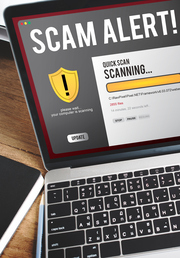
Scareware is a type of malicious software or deceptive online tactic designed to frighten users into taking an action, such as downloading fake software or paying for unnecessary services. It typically appears as alarming pop-up messages or warnings claiming that a computer is infected, hacked, or at serious risk.

These messages are false and are intended to pressure users into clicking links, installing harmful programs, or providing personal or financial information. Scareware is a form of social engineering that uses fear and urgency to psychologically manipulate a person.

How Scareware Works

Unlike traditional malware that sneaks onto your device silently, scareware wants to be noticed. It typically follows this pattern:

  1. The Trigger: You visit a website (often a legitimate one that has been compromised) and a sudden, loud, or flashing pop-up appears.
  1. The “Big Lie”: The message mimics an official system alert or a well-known antivirus brand (like Norton, McAfee, or Windows Defender). It might say: “36 Viruses Detected! Your hard drive will be erased in 5 minutes!”
  1. The Fake Scan: To look more convincing, it may show a progress bar “scanning” your files and “finding” hundreds of threats that don’t actually exist.
  1. The so called “Solution”: It directs you to click a button to “Clean Now” or “Download Protection.

The Real Danger:

While the “infection” it shows you is fake, the threat becomes real once you interact with it. If you click the link, one of three things usually happens:

  • Malware Installation: You download an actual virus, spyware, or ransomware while thinking you’re downloading a fix.
  • Credit Card Theft: You are directed to a payment page to buy “premium” software to remove the fake threats.
  • Tech Support Scam: You are given a phone number to call, where a scammer will try to convince you to give them remote access to your computer.

How to Stay Safe

  • Don’t Click: Never click “OK,” “Cancel,” or even the “X” on the pop-up itself, as scammers sometimes hide links behind those buttons.
  • Force Quit: The safest way to close a scareware pop-up is to close your entire browser using Task Manager (Ctrl+Shift+Esc on Windows) or Force Quit (Option+Command+Esc on Mac).
  • Trust Your Local Software: Remember that legitimate antivirus software will notify you through its own dedicated app interface, not through a random browser window while you’re surfing the web.

Fitness Scams

When I first heard about fitness scams my first thought was, huh?  I couldn’t imagine what it was.  Perhaps it was about people being approached while someone was outside jogging or working out in a gym.

On the contrary, this scam happens through fitness apps.  We usually don’t think of a fitness app being related to social media.  But when people connect with other joggers, yoga partners, or weightlifters, they are now socially connected with these friends and colleagues

This is when cyber thieves begin to work their schemes to steal someone’s private data, glean money through a scam, or find out where a person lives.

Criminals also use a person’s passion for health and fitness to entice you with tried-and-true methods, like incredible offers via email or text. If you receive a text message that claims to have a drug for a cheap price that can make you lose weight immediately, you should not follow the link and purchase it, even if the deal appears to be too good to pass up.

Ways to Protect Yourself

Many fitness trackers will store users’ locations on their systems, and if this information gets into the wrong hands, it could be used for malicious purposes.  Keep your account secure with a good password and email/text authorization to ensure no one can attempt to log in without your knowledge.

And regarding the social media aspect of a fitness app.  If you are sharing your location or connecting with others through the app, scrutinize all communication.  If you receive a message on a legitimate fitness app from someone new or a friend, it does not mean the message is safe.  It could be a scammer attempting to build a fitness relationship with you learn personal information about you.

These fake relationships start innocently enough, but over time they will try to get personal information from you.  You also don’t know if a friends apps has been hacked and it’s a scammer contact you from their account.

Quishing: Malicious QR Code Scams

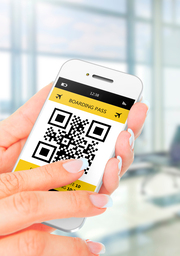
Just when you think you’ve seen it all, Quishing is like is Phishing (email scams), Smishing (SMS text scams), and Vishing (voice call scams).  QR codes are common but if you are not familiar them or have never scanned one, here’s how they work:

QR codes are a type of barcode that can be scanned using a smartphone camera. When scanned, the code opens a website, PDF, or other type of digital page.  If a malicious QR code gets scanned, it could lead to malware or a malicious website.

Always be cautious of unsolicited emails with QR codes.  Before scanning a code, verify the legitimacy of the website or the email sender. QR codes are a legitimate method used for authentication purposes on your phone.

Scanning a malicious QR code is the same as clicking a malicious email link or in a text message. It will either infect your computer or access personal information from you.

However, they can cause havoc if created by a scammer or hacker.  Check for red flags such as suspicious email addresses or requests for sensitive information.  But even an email address you know could be used to carry out the scam, such as a hacked email account of someone you know.  It may require you to talk to or text the person who sent for confirmation.

For an added layer of protection, consider using a trusted QR code scanner app instead of scanning with your camera phone.  These apps often scan for malicious URL’s and give warnings about potential dangers.

Scams Powered by AI

Thanks to new developments in artificial intelligence scammers are taking advantage. This new technology is accessible to anyone for any purpose, good or bad.  Using AI allows users to make  presentations more realistic, even to those who are suspicious.

AI is used by scammers for:

  • Writing:  AI can write emails and texts and track response rates of the message to increase effectiveness. Traditionally, one of the common traits of a scam message is misspelled words and grammatical error.  This can be eliminated using AI.
  • Voice:  Be extra cautious of calls from friends or employers who ask for personal information.  AI can mimic a voice to be a certain age or have a specific accent. Scammers no long need to make these calls themselves, which opens up the scary prospect that AI could even have a conversation with you. Plus, it’s all automated like a robocall, but an intelligent one.
  • Deepfakes: There is already plenty examples of AI creating deepfakes of celebrities for the purposes of advertising on social media or simply for entertainment.  Deepfakes add authenticity to offers that fool unsuspecting victims who are enticed by big savings or winning a contest.

AI can also produce deepfake photos used to create fake online profiles for romance scams. This is where scammers gain the trust of someone seeking a relationship online and later manipulate their victims to divulge personal information or steal from them.

Event Scams

Scammers often try to create a sense of urgency by offering good deals on sold-out events, but these ticket scams are fake. They advertise last-minute deals on tickets at prices that seem too good to be true. Phishing emails related to event scams may mimic legitimate ticketing services, including using their official logos and similar language.

Official sources are the safest bet for streaming events. By sticking to these sources, you reduce the risk of encountering scams that exploit the popularity of streaming services.

Cybercriminals will also use social media to advertise fraudulent streaming services. These ads might lead to fake websites designed to steal personal or financial information.

To avoid streaming platform scams, one should try to stick to the official broadcasting lists from the event’s website or official social media page.

Payment Apps

Banking fraud is common there has been much education about how to avoid divulging login details about your accounts. However, with the dawn of new payments apps it’s never been easier to send and received money to and from friends and family.  These convenience of not having to deal directly with your bank makes it easier for scammers to steal from you.

Spoofing calls may be made to you about security issues and requesting personal information regarding a payment app you may be using.  You may also receive links from your bank or payment app requested you to login to verify or correct information.  In any of these situations, be very suspect.

In general, one should always pay close attention to the apps they are downloading. Recently, Apple found an app in their store that was mimicking a reputable password manager app.

Cyber Gateways for Scammers

Are cybercriminals watching you or listening to your conversations? Many don’t think about Bluetooth and how it can affect your privacy and even computer security in the home. Hackers can access your devices and data if your Wi-Fi or Bluetooth settings are weak.  They can learn personal information about you to carry out targeted phishing attacks against you and your family members.

Bluetooth Security and Smart Devices

Fortunately, there are steps your can take to make sure your home is secure.  We’ll first explore Bluetooth vulnerabilities, followed by what you can do to increase awareness and safety.

Potential Bluetooth Vulnerabilities

Here are things you need to be aware of when it comes to smart devices.

Eavesdropping Attacks

Devices like Alexa and Google Home make our lives easier, but they can be hacked, and malware can be installed to listen in on your conversations.

Device Hacking

Smart appliances like washing machines and refrigerators rarely have their default passwords changed. These can be used as a means to infect every other device on the network.

BlueBorne

BlueBorne is a set of vulnerabilities that affect devices with Bluetooth connections, allowing attackers to potentially take control of devices, spread malware, or steal data without requiring the devices to be paired.

Bluetooth Sniffing

Bluetooth signals can sometimes be intercepted by nearby devices using specialized equipment, allowing attackers to eavesdrop on communications between devices.

Weak Encryption

Some Bluetooth devices may use weak encryption methods or have security flaws that make them susceptible to brute-force attacks. To protect against weak encryption vulnerabilities, use Bluetooth devices that support stronger encryption protocols, such as Bluetooth 4.2 or later, and keep your devices updated with the latest firmware.

Bluetooth Impersonation Attacks

Attackers may attempt to impersonate trusted Bluetooth devices to gain unauthorized access to your device or data. To prevent Bluetooth impersonation attacks, be cautious when connecting to unknown devices and verify the authenticity of Bluetooth devices before pairing with them.

Smart Doorbells

Cybercriminals use a search engine called Shodan for this purpose. Cybercriminals use a specialized IoT search engine to find unsecured devices or devices with only a default password in place.

Solutions to Enhance Bluetooth Security

Bluetooth Pairing:  Make sure to pair devices in a secure environment and verify the devices’ identities during pairing. Avoid pairing with unknown or untrusted devices. Use strong, unique passwords for Bluetooth pairing whenever possible.  Replace any default pin codes.

Separate Your Networks:   Your fridge and laptop should never be on the same network. If they are, hackers could gain access to your data on any device connected to your Wi-Fi. Even home surveillance cameras and become infected with malicious code to carry out cyber attacks.

More Tips for Bluetooth Set Up and Usage

  • Avoid Using outdated Bluetooth devices.
  • Keep your Bluetooth-enabled devices updated with the latest firmware and security patches.
  • Disable Bluetooth when not in use, especially in public places.
  • Consider using Bluetooth devices that support secure pairing methods, such as Bluetooth Low Energy (LE) Secure Connections.
  • Regularly monitor your device for suspicious activity and review Bluetooth connection logs if available.
  • Devices that are loaded with sensitive personal and business information should never be on the same network as IoT devices which are more vulnerable to attacks.

Smart TVs

IoT devices are a network of physical devices that connect and exchange data with each other over the internet. IoT stands for the Internet of Things.  Basically, anything connected to the internet.  One device that is often forgotten about is the Smart TV.  Because Smart TVs connect to the internet and are therefore considered an IoT device.

Though convenient, Smart TVs can be exposed to cyber threats similar to phones and laptops.  Cybercriminals who have hacked a Smart TV may change your privacy and security settings. They can even lock you out of your TV ask and as you for payment to unlock it.  This is called a ransomware attack.

Hacking into you TV can allow them to access private information, including your credit card details.  A hacked TV allows scammers can watch you and listen to you from your TV. And just like any security breach, they can send you targeted phishing attacks based on what they have learned about you.

Hacked TVs also become a gateway to access other devices that are connected to your home network.  Also, once inside your TV, cybercriminals can create malicious apps designed to look like legitimate ones.

Ways to Prevent Smart TV Hacks

  • Make sure your software is up to date. Do it manually when you think of it and enable automatic updates for those times you forget.
  • Use strong and unique passwords for account associated with the TV.
  • If you can hard wire your connection, this is much safer than using Wi-Fi.
  • If you wonder if you TV has been hacked because of strange activity, disconnect it from the internet and perform a factory reset.
  • Be sure update other passwords across all other accounts and make them unique from each other, including your Smart TV

Cyber awareness about all the devices connected to the internet in home will help keep you accounts and devices safe.

Election Scams

Elections scams are not new, but AI technology is adding fuel to the fire as those with ulterior motives seeks to disrupt and influence election outcomes.

Cybercriminals often impersonate political figures to deceive users into revealing personal information, downloading malware, or donating money to fraudulent causes. They distort reality and exploit the stress and excitement around elections to manipulate users.

Deepfakes can be used to impersonate political candidates, making it sound like they said things they never did. Deepfakes distort voters’ perception of reality and can have serious consequences for voter perception and trust.

Fake Social Media Accounts can spread disinformation quickly, making it sound credible and widespread. This can also lead to phishing attacks.  Bots are also rampant online doing the work of scammers at an increasingly fast pace.

Foreign influence campaigns aim to create division and undermine trust in the election process. Campaigns might use phishing emails, fake social media accounts, or bots to steal personal information, install malware, and spread disinformation.

Advice to Avoid Falling for Election Scams

Practice Skepticism

Question sensational or shocking content, especially on social media.  Verify authenticity through multiple sources, including fact checking websites.  Be weary of accounts with generic photos and ones that repost from other sources frequently.

Scrutinize Unsolicited Emails and Phone Calls

Don’t give out any personal information.  Avoid clicking any links.  Verify details of the call or email by contacting a candidate or political party directly.

Check Website Security

When visiting any website for any reason, check for basic security.  Ensure it has the https: before the URL. It should also shows a secure symbol in front of it, such as a padlock.  Do not engage any website that is not secure.  Leave the website and search Google for legitimate websites related to what you are seeking to do online.

Be wary of AI chatbots used by scammers. These bots can mimic human conversations, making it harder to detect fraud. Scammers may use them to steal personal information, trick users into financial schemes, or spread malware. Always verify the source of any chatbot interaction, avoid sharing sensitive details, and be cautious of unsolicited messages that seem too good to be true.

Final Reminders

Always use official sources for information. Stay away from social media as a reliable source for information, even if it looks like a trusted news or government website or account.

If any of your accounts are compromised in a breach you should change your password immediately.  The same goes if someone guessed your password and manages to log in.  After changing your password, take the steps offered within each of your accounts to enhance login security.

Never give our personal information over the phone until you are sure who you are speaking with.  Tell the caller you will call them back at the number you have in your contacts.  The same goes for links.  Don’t click a link in an email.  Visit your bank or employer’s website directly from one of your bookmarks or by searching Google.

Learn more about how scammers try to dupe you into clicking malicious links or responding to messages with personal information.  Give yourself a well-rounded education about common scams and remember to never stop discovering ways to protect your devices and your identity.

Share This Article

Can Apps Track Your Location?

Can Apps Track Your Location?

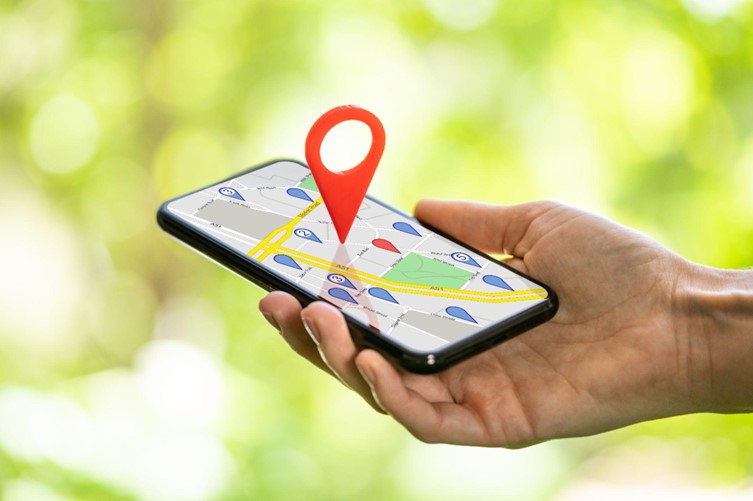
Many apps use location to work properly, from mapping and rideshare to food delivery and weather apps. These apps rely on the user’s location to offer a satisfying user experience and function. Android and iOS have built-in security features that let you know when an app requests to use location.

Some apps, such as Google Maps, also use location in the background to run their services, which utilizes user location to provide traffic data.

With all these features and countless apps using GPS, it’s normal to wonder if apps can track your location. In this article, we’ll give an answer to this question and help you find out if an app is using your location, as well as how to prevent apps you don’t want from using such features on your phone.

Is It Possible for an App to Track Location?

Yes. Apps can track location through geolocation services on your phone. However, you’ll need to allow the app to use location services on your phone. Unless you give the app the green light (typically when you use the app for the first time), your phone won’t let the app use the location.

Although it’s unlikely for an app to use location services to track where you are specifically, it can happen. If you received a suspicious text message about your location after downloading an app, a reverse phone number lookup can reveal the sender’s true identity.

How Do Apps Use Location?

If an app requires location to work appropriately, you’ll be prompted with a notification as to whether or not to allow the app to use location. This prompt typically appears when the app tries to use geolocation services for the first time and saves your preference afterward.

You’ll typically have two options when allowing an app to use location services. You can permit the app to use location all the time or only when the app is in use. The first option gives the app access to your location even when the app isn’t in use. The second means the app can only use the location when it’s on.

Depending on what services the app offers, you may need to update these preferences. For example, a messaging app providing your live location to another user relies on geolocation services continuously to provide precise location when your phone is locked.

How to Check If an App Is Tracking Your Location?

Checking whether an app is using your phone’s location features is the easiest way to know if an app is tracking your location. Below, you’ll find how to check this on Apple and Android devices.

iOS

  1. Go to Settings.
  2. Tap Privacy & Security.
  3. Select Location Services and select the app you want to check.

Once you select the app you want to check, you’ll know if the app has permission to use location services. If you’d like the app not to use your location, you can do it by selecting Never in the settings.

If you don’t want any app to use location services on your iPhone, you can also turn off location services altogether in the Privacy & Security settings.

Android

The exact steps to check if an app is tracking your location on Android vary due to phone brands using different variations of the operating system.

Generally, you’ll need to go to Settings > Apps & Notifications > select the app you want to check > Permissions > Location.

Following the above, you’ll see which apps are using location and update your preferences. Additionally, you can turn off location using the Quick Settings menu by swiping down from the top of the screen. Simply bring up this menu and tap the location icon to turn off location services for all apps.

Staying Safe While Using Devices With GPS

Staying Safe While Using Devices With GPS

Most apps rely on-location services to offer a better user experience. The apps downloaded from an official store are unlikely to use your location for something malicious.

However, the same can’t be said for apps downloaded from the internet. Fraudsters and hackers deliberately offer free versions of malicious apps and run different types of schemes in the background to steal your data.

Installing these apps can put you at risk for more than just revealing your current location. It can go as far as stealing your identity and credit card information. Only download apps from the App Store and Play Store to stay safe.

Share This Article

Exploring Overlooked Vulnerabilities in 2FA and MFA Authentication

Exploring Overlooked Vulnerabilities in 2FA and MFA Authentication

One of the most revered security features in fight against cyber criminals is two-factor authentication, also known as is 2-step verification. Subsequently, multi-factor authentication takes protection to the next level.  The more layers of security, the safer your accounts are. Yet, even with these seemingly impenetrable features, hackers can still get in.

The methods used to breach robust authentication processes have been around for a while and new schemes to dupe you continue to be developed.

Defining Authentication Security Measures

Let’s first define the types of authentications so that at the very least you can ensure you have employed them as a first line of defense. From there our goal is to equip you with the knowledge to protect yourself from being duped by various schemes to access your data, as well taking steps to fortify your devices.

Two-Factor Authentication (2FA)

2FA is a security process where the user is required to provide two different authentication factors to verify their identity. Typically, these factors fall into three categories:

  1. Something you know (like a password)
  2. Something you have (a code sent your phone, email, or authenticator app).
  3. Or the second factor could be something you are (like a fingerprint).

i.e. After entering a password to log into an online account, the user receives a one-time code on their mobile device. They then enter this code to complete the login process. In this case, the password is the first factor, and the one-time code from a mobile device or email is the second factor.

Multi-Factor Authentication (MFA):

MFA is a broader term that encompasses any authentication process that requires more than one form of identification from the user. It can involve combinations of factors such as passwords, security tokens, biometrics, or smart cards.

i.e. Logging into a corporate network may require the user to enter a password, provide a fingerprint scan, and use a smart card. In this example, the combination of the password, fingerprint, and smart card creates a multi-factor authentication process.

Within your accounts, look for two-factor verification methods that can easily be set up to protect your personal data.  If your password is compromised and someone tries to login, you will receive a verification code they are unable to see. If this happens, change your password.

Exploring Authentication Vulnerabilities

Robust strategies designed to enhance security include Two-Factor and Multi-Factor Authentication methods, which are widely adopted by individuals and organizations alike. However, as technology advances, so do the methods employed by cybercriminals to exploit vulnerabilities.

Here are the potential risks you should be aware.  The vulnerabilities are caused by humans who unknowingly reveal their login details.

Phishing Attacks: A Persistent Threat

Phishing attacks remain a pervasive threat to multi-platform authentication. Despite advancements in cybersecurity, unsuspecting users can still fall victim to deceptive emails, messages, or websites that mimic legitimate platforms. Cybercriminals exploit human vulnerability by using urgency and familiarity. They trick users into revealing sensitive information such as usernames, passwords, and authentication codes.

To mitigate this risk, users should remain vigilant and employ security best practices, including verifying the authenticity of communication channels and using secure, verified links.

A general rule of thumb is to access your account through a trusted link in your browser or by searching Google.  Once you are logged in you can see if there is in fact something related to the email you received. Phishing can also be done via texts.

Man-in-the-Middle Attacks: Intercepting the Unseen

Man-in-the-Middle (MitM) attacks pose a serious threat to multi-factor authentication systems on multiple platforms. In this scenario, an attacker intercepts communication between two parties, potentially gaining access to sensitive information. While encryption protocols are in place to secure these communications, vulnerabilities in network security or compromised devices can provide avenues for attackers to exploit.

Organizations should implement robust encryption standards and regularly update security protocols to stay ahead of evolving cyber threats.  Users should connect to secure networks and be cautious when accessing sensitive information on public Wi-Fi.

Device Vulnerabilities

As the saying goes, “a chain is only as strong as its weakest link”. Smartphones, tablets, and other connected devices can become targets for exploitation if not properly secured. Outdated operating systems, unpatched software, or weak device passwords can serve as entry points for cybercriminals.

Users must regularly update their device software, as well as the programs that are installed on them. Use strong, unique passwords.  Enable device-specific security features to minimize the risk of unauthorized access.  These include firewalls and built in security, such as Windows Security on PCs.

Biometric Risks: Beyond the Fingerprint

Within companies and networks, biometric authentication adds an extra layer of security, it is not without its vulnerabilities. Hackers have demonstrated the ability to replicate fingerprints, use high-quality photographs for facial recognition, or even create synthetic voice recordings for voice authentication. These techniques underscore the importance of combining biometric methods with traditional authentication measures.

Organizations should implement multi-modal biometric systems, combining different biometric factors to enhance security. Regularly updating biometric templates and employing liveness detection can also help mitigate risks associated with biometric authentication.

Account Recovery Loopholes

Loopholes are a backdoor for intruders.  Account recovery mechanisms, designed to help users regain access to their accounts in case of forgotten passwords or lost devices, can inadvertently become security loopholes. Cybercriminals may exploit weak account recovery processes to gain unauthorized access to user accounts.

Service providers should implement robust and secure account recovery procedures, incorporating multiple verification steps. Users, in turn, should enable two-factor authentication for account recovery and regularly review and update their recovery information.

MFA Fatigue Attacks

If you have an account that only required authentication via push notification on your phone, beware of MFA Fatigue Attach.  This is when a cybercriminal continuously pushes of the second factor authentication request to the target’s email or phone. It annoys the account hold until they finally click “accept”.

The cyberthief hopes that the victim isn’t aware of what they are accepting, or that they click “accept” to make the action stop.  Meanwhile, the criminals who has just tried to log into your account gains access because you clicked “accept”.

Simple approvals, such as only needing to click “accept” on a push notification, can be a faster experience, but experts recommend requiring more context for authenticating.

Protection Today and Beyond

Two-factor and multi-factor authentication has become increasingly vital for the safety of each individual’s personal information, as well as the online platforms that serve account holders.

Companies must lead the way in ensuring they have multi-platform authentication systems in place.

Employees should be trained to properly use these systems and be aware of human caused vulnerabilities.

Users should be encouraged to activate two-factor authentication for each of their accounts.

Account holders can also educate themselves by:

  • Teading articles on security issues
  • Keep their devices and software programs up to date
  • Be cautious when clicking links in emails or texts
  • Report phishing attempts for make the internet safer for everyone.
Share This Article