
What Does Security Really Mean in Photo Storage? Understanding the Different Levels of Protections

A while back, I had lost my photos that I thought were safe. They were saved on the cloud and were synced on both my phone and laptop. One small mistake deleted them everywhere. There was no clear warning and no easy way to recover them. That moment changed how I look at photo storage security.
Many people trust photo apps without knowing what security really means. An assuring lock icon or a large brand name is reassuring, yet does not answer the question of who looks at your photos or what could occur in case something goes wrong. The points below explain how photo storage security actually works and where real risks still exist.
Who This Guide Helps Most
Not every guide fits every reader. Some save family memories, others keep work images or private files. Concerns usually start when photos feel exposed or suddenly disappear.
This guide is for:
- people who store personal photos online
- users who want clear answers without tech talk
- Anyone worried about privacy or photo loss
What Photo Storage Security Means
Before looking at tools or services, it helps to know what security actually covers. Many users assume it means one thing, but it includes several protections working together.
Photo storage security means keeping your photos safe from access you did not allow.
This includes protection from:
- hackers
- stolen accounts
- data leaks
- accidental sharing
Security works in layers. One feature alone is not enough.
Security vs Privacy in Photo Storage
These two terms are used interchangeably, and yet they deal with other issues. When you get confused between these two, maybe you set the wrong expectations.
Security:
Security blocks outsiders from breaking in.
Privacy:
Privacy controls who can see your photos, including the storage company. A service may block hackers but still view files. That is secure, but not fully private.
The Main Levels of Photo Storage Protection
Most storage services list security features without explaining how they differ. Each level protects photos in a different situation.
Understanding these levels helps you compare services without guessing.
Encryption in Transit
This layer protects photos while they move from your device to storage.
It stops others from reading files during upload.
Most major services use this.
Encryption at Rest
This layer protects photos stored on servers.
The files are encrypted in a way that they are not readable without the use of a key.
This helps if servers are accessed without permission.
End-to-End Encryption
It is concerned with privacy and not only safety.
Photos are locked on your device before upload.
Only your device can unlock them.
The storage company cannot see the photos.
This only works if you control the encryption keys.
Encryption Key Control
Encryption keys decide who can unlock photos. This detail is often hidden in settings or policies.
- If the company holds the keys, it can access photos.
- If you hold the keys, only you can access photos.
How Popular Photo Storage Services Handle Security
Many users choose services based on brand trust. Seeing these differences side by side helps avoid false assumptions.
Google Photos
- Encrypts photos during upload and storage
- No end-to-end encryption by default
- The company controls encryption keys
Apple iCloud
- Uses encryption by default
- Optional Advanced Data Protection
- Users control access if enabled
Proton Drive
- Uses end-to-end encryption
- Users control encryption keys
- The company cannot view photos
The only thing, except for safety, is privacy here, too. Tools like Paranoid Photos focus on limiting access from the start, which appeals to people who want stronger control over who can view their images.
Risks that Are Common to Photo Safety.
Even strong security does not remove all risks. Many problems come from daily use, not attacks.
These issues show up often and are easy to miss.
Shared Links That Spread
Some albums use simple share links.
If a link leaks, anyone can view the photos.
Often, there is no password or alert.
Account Takeovers
Weak passwords lead to stolen accounts.
Attackers may:
- download photos
- delete files
- share private albums
Sync Mistakes
Auto-sync spreads changes fast.
Delete a photo once.
It may disappear everywhere.
Without backups, recovery is hard.
What Encryption Does Not Hide
Encryption protects photo content, but it does not hide everything. These details help systems function but also reveal usage patterns.
Most services can still see:
- file size
- upload date
- device type
- number of photos
This data is called metadata.
How Legal Requests Affect Photo Storage
Laws and policies also shape how secure your photos are.
Key control decides what a company can respond to.
If a company controls encryption keys, it may respond to legal requests.
If users control keys:
- Photos cannot be unlocked
- Content cannot be shared
Photo Backup vs Photo Storage
The two concepts are similar, yet they address different issues.
Mixing up always results in missing photos.
Photo storage
- lets you view photos across devices
- syncs files automatically
Photo backup
- keeps separate copies
- protects against deletion
- helps recover lost files
Why Device Security Still Matters
Cloud protection does not cover unlocked devices. This is one of the most ignored risks.
Common risks:
- lost devices
- stolen phones
- open galleries
Helpful steps:
- Use screen locks
- enable fingerprint or face access
- Turn on remote erase tools
Easy Tips That Improve Photo Safety
Effective security is often a matter of habit and not just tools. These steps help most users reduce risk fast.
- Use strong, unique passwords
- Turn on two-step login
- Review shared albums often
- Keep offline backups
Key Takeaways About Photo Storage Security
Remember these things, in case you can remember a few. They sum up how photo security really works.
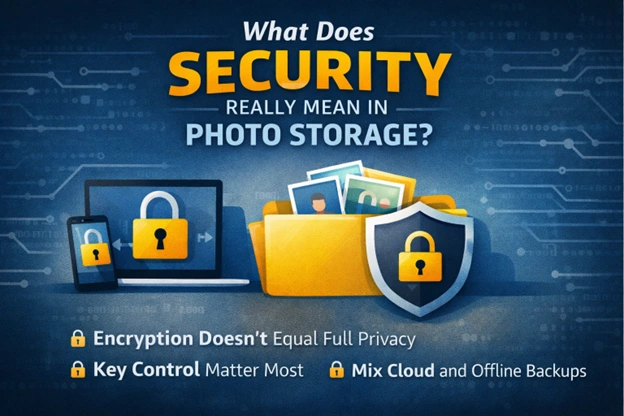
- Encryption alone does not mean privacy
- Who controls the keys matters most
- Cloud storage is not the same as backup
- Sync can delete photos everywhere
- Device security still matters
Conclusion
After working with cloud photo storage tools and helping users deal with lost or exposed photos, one thing is clear. Most problems do not come from advanced attacks. They come from weak passwords, sync mistakes, shared links, or wrong assumptions about privacy.
Photo security depends on the level of encryption, key management, and the security of the devices and the user behaviors. When you understand how these pieces can be fitted, you will have time to choose what kind of storage is going to suit you, and you will be sure your photos will be under control.


