Category: Education

Why Schools Must Prioritize Digital Safety in the Classroom

A small group of kids watching a video on a laptop.

It used to be that keeping kids safe at school mostly meant locking doors and supervising the playground. But today, safety looks a lot different. The biggest threats aren’t always visible. They’re tucked into screens, apps, and online portals. And honestly, it’s not always clear where the danger is coming from.

Most students now carry a device all day. Laptops, tablets, phones… sometimes all three. And while digital access has opened doors to new ways of learning, it’s also opened the floodgates to new kinds of risks. Some subtle, some not so much.

The blurry line between learning and risk

Let’s start with the obvious: the internet is messy.

Sure, it holds an endless supply of educational content. But nestled between helpful videos and online quizzes are distractions, scams, and sometimes even explicit content that no child should stumble into. Filters help, but they’re not foolproof.

Then there’s phishing, malware, data breaches. Terms that sound technical but have very real consequences when students are targeted. According to a report by the Center for Internet Security, K-12 schools have increasingly become targets of cyberattacks, with many districts lacking the resources or expertise to defend against them.

And that’s just the technical side.

Social media adds another layer. Peer pressure, online bullying, strangers posing as friends. It’s all happening while students are supposed to be “just researching something” for class.

Passwords still matter more than we think

It sounds simple (maybe too simple), but password hygiene remains one of the easiest, most ignored areas of digital safety.

Many schools rely on outdated policies, or worse, leave it up to students to choose their own passwords with little guidance. And honestly, expecting a fifth grader to come up with a strong, unique password for every platform… it’s not exactly realistic.

That’s where tools like Specops Password Policy come in. They allow schools to enforce better password rules across systems without relying on each student to remember them. It’s not the whole answer, of course. But it’s a start. And right now, even small steps count.

Teachers can’t do it all

Expecting educators to become cybersecurity experts overnight isn’t fair. Their plates are already full with lesson plans, grading, classroom management. Not to mention the emotional demands that come with supporting young learners.

Yet in many schools, teachers are the first and only line of defense. They’re expected to catch suspicious behavior online, troubleshoot tech issues, and teach digital citizenship, all while keeping the class on track.

A 2022 study by the EdWeek Research Center found that nearly 70% of teachers felt unprepared to protect students from online threats. That statistic shouldn’t just raise eyebrows. It should raise red flags.

We can’t expect safety to be maintained on good intentions alone. Schools need support, training, and clear protocols that don’t just live in a dusty handbook somewhere but are actively used and updated.

Digital Safety Beyond the Firewall

Keeping students safe online isn’t just about rules and awareness.  It also depends heavily on the technology that runs beneath the surface. Schools rely on government-funded IT systems to manage network access, enforce content filtering, and protect sensitive student data from cyber threats. This is especially important in environments where large volumes of users interact with shared systems daily, where scalable server infrastructure determines whether a portal stays available during peak demand or buckles under it.  Without a secure and well-maintained digital infrastructure, even the best safety policies can fall short.

Understanding how public sector IT enables secure access across schools highlights just how critical these behind-the-scenes systems are. They create safe online environments that students and teachers depend on every day. For parents and educators focused on digital safety, it’s a reminder that protection starts long before a child ever opens a browser.

Device management in school safety

Knowing what to do is one thing. Having the right tools to actually do it is another. One of the most practical layers of digital safety a school can implement is mobile device management software. It’s a technology that lets IT staff configure, monitor, and secure every student device from a single dashboard.

A well-chosen MDM platform can enforce content filtering, lock devices to specific apps during exams, push approved software automatically, and remotely wipe a lost or stolen device before student data is compromised. For schools navigating FERPA and CIPA compliance, many modern MDM solutions also automate the evidence-gathering that used to require manual spreadsheets.

Not all platforms are built equally, though. Some work well for Apple-only fleets but fall short when a district runs a mix of Chromebooks, Windows PCs, and iPads. Others offer a free tier that sounds appealing until a school outgrows it in the first semester. And a growing concern, one that not every MDM addresses,  is Shadow IT. Students quietly using unauthorized AI tools, cloud storage, or browser extensions that can create real privacy and academic integrity problems.

Not all learning environments are equal

Let’s not forget that digital safety isn’t just an issue in traditional brick-and-mortar classrooms.

Many families now choose online schools, either full-time or as part of a hybrid model. And while these setups offer flexibility, they also shift a lot of the digital safety burden onto parents. Many of whom aren’t equipped for it either.

At home, students may not have the same filters, supervision, or IT support they would in a school setting. Devices are shared, Wi-Fi is unsecured, software updates get ignored. It’s a quieter risk, maybe, but not a smaller one.

This growing variety in learning environments makes consistent digital safety policies harder, but not less necessary. In fact, the patchwork only makes the need for coordination more urgent.

A few final thoughts (messy as they may be)

There’s no magic checklist. No single policy fixes everything. Still, a few things are worth considering. Some practical, others philosophical.

  • Start younger: Don’t wait until middle school to teach digital responsibility. Kids are online earlier than ever.
  • Involve parents: Whether they realize it or not, they’re part of the security equation.
  • Update policies regularly: Cyber threats evolve. A one-time training from five years ago isn’t going to cut it.
  • Limit access strategically: Not everything needs to be open all the time. It’s okay to restrict.
  • Encourage reporting: Students should feel safe raising red flags; even if they’re wrong.

A report from the U.S. Government Accountability Office highlights that while many schools have policies on the books, follow-through is inconsistent. Sometimes it’s budget-related. Other times it’s just inertia. But either way, policies don’t protect anyone if they’re not practiced.

Conclusion

Digital safety feels like one of those topics that’s easy to nod along with. And hard to actually do anything about. There’s always something more urgent, more measurable, more immediate. But that doesn’t make it less real.

Perhaps part of the challenge is that we don’t always see the threat. Unlike a fire drill or a broken lock, digital risks are invisible until they aren’t. And by then, it’s often too late.

Maybe the goal isn’t perfection. Maybe it’s just progress. Better passwords. Clearer training. A little more caution. A little less “we’ll deal with it later.”

Because the truth is, students are already navigating this world, whether schools are ready or not. And while we can’t protect them from everything, we can do better than nothing.

Share This Article

Two iPad Cases, One Trusted Brand: Which Case is Right for You (Apple’s Back to School)?

Teen boy waves back as he walks to the school bus with other students.

When it comes to finding the good iPad case, the right choice often comes down to how—and how often—you use your device. ESR’s Rebound Series offers two standout options that cater to very different styles of iPad users: the Rebound Hybrid Case 360 and the Rebound Magnetic Case.

I had the opportunity to test both over the past few weeks, and while they share ESR’s signature durability, smart design, and attention to user experience, each brings a unique set of strengths to the table.

If you’re still learning how to get the most out of your iPad, Apple’s official iPad User Guide is a fantastic resource for mastering multitasking, gestures, and hidden features.

Rebound Hybrid Case 360: All-Angle Power, Total Flexibility

The Rebound Hybrid Case 360 is the ideal solution for power users who rely on their iPad for a wide range of tasks throughout the day. Whether you’re watching your favorite shows, sketching with Apple Pencil, hopping on video calls, or gaming during your downtime, this tablet iPad case easily transforms to fit your needs with six distinct use modes—including both portrait and landscape orientations.

An iPad and iPad case shown virtually.

What really sets this iPad case apart is its detachable magnetic front cover. The cover locks into place with incredibly strong magnets—rated at 2500 g, compared to the 2000 g found in many other cases in the industry—providing a solid stand for work or entertainment. Yet, the cover detaches easily, when you want a more lightweight or convenient setup, making it perfect for handheld reading or mobile gaming.

The Rebound Hybrid Case 360 doesn’t cut corners when it comes to protection. Featuring a magnetic front cover paired with the solid back case, the dual-layer set up delivers all-round protection against everyday bumps, scratches, and minor drops—all without adding much bulk. The soft microfiber interior helps keep screen scratches and dust away, while at the same time the smooth matte finish on the outside leads to a comfortable and secure grip.

This is a case built for flexibility and confidence—ideal for anyone who needs their iPad to seamlessly adapt to both productivity and entertainment.

Rebound Magnetic Case: Minimal Form, Maximum Grip

In contrast, the Rebound Magnetic Case is all about simplicity, elegance, and portability. If you prefer a clean and minimalist design and want the same level of strength or functionality, this iPad case fits the bill perfectly. It attaches directly to the iPad using strong built-in magnets with a magnetic strength of 1900 g—significantly stronger than the average industry norm of 1500 g—which gives you a firm, secure hold with no shifting or detachment, even during movement.

An iPad and Case shown horizontally.

Its trifold cover folds neatly into both viewing and writing modes, which gives you stable angles whether you’re conducting video conferences or scribbling down notes during class. The exterior has a lightly textured finish that feels great to hold and thus helps prevent accidental slips. With the white version I tested, I noticed one of the most pleasant surprises was how easy it is to clean. Thanks to the iPad case’s stain-resistant material, smudges, fingerprints, and even ink marks wiped away with a quick and easy swipe. Despite its ultra-slim profile, the iPad case still provides strong drop protection, having passed a 100N strength test.

If you’re interested in preserving your iPad’s performance over time, Apple’s own official resource on optimizing battery health and performance offers some valuable long-term care advice.

The Final Verdict

Ultimately, choosing between these two cases depends on your personal usage preferences. When heading back to school, if you’re someone who needs flexibility, full-featured protection, as well as support for multiple orientations and accessories, the Rebound Hybrid Case 360 offers fantastic all-in-one solution. On the other hand, the Rebound Magnetic Case delivers understated brilliance, if you prefer something more compact and sleeker without compromising on grip or magnet strength.

ESR’s thoughtful design philosophy was showcased in both products: smart, user-first solutions that balance functionality, durability, style, and everyday usability. Whether you’re an artist, a student, a frequent traveler, or simply someone who wants their iPad to work smarter, there’s a Rebound case tailored to your lifestyle—and both are well worth the money.

Share This Article

8 Online Schools In Pennsylvania That Provide Flexible Learning Options for Families

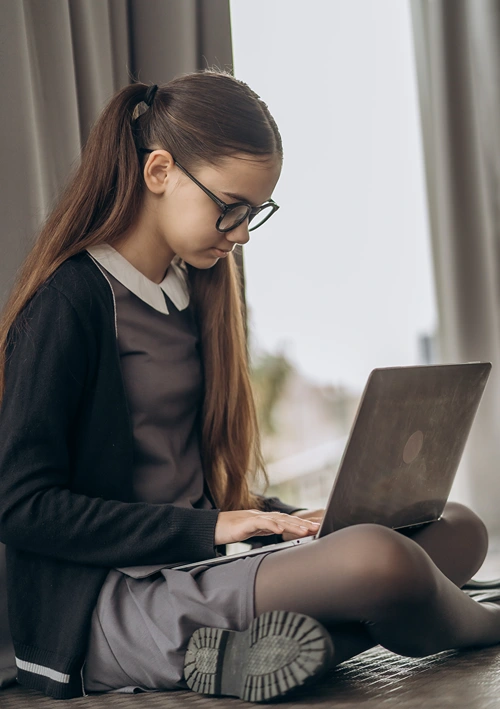
Nicely dressed middle school girl doing cyber school on lap top.

The shift toward online education may have started during the pandemic, but it continues because parents see benefits from this learning mode. Online schools offer true flexibility that fits families’ unique needs and schedules. Whether your child focuses best at 7 a.m. or hits their stride after lunch, online learning adapts to them.

Pennsylvania offers excellent online school options, from free public cyber charter schools to specialized programs with unique features. Discover what’s available and find the right fit for your family.

Understanding Online School Options in Pennsylvania

Pennsylvania has three main types of online schools:

  • Public cyber charter schools: These schools are tuition-free for all Pennsylvania residents and funded by taxpayer dollars, just like traditional public schools. They must meet state standards and offer complete K-12 programs.
  • Private online academies: They charge tuition but often provide more personalized services or specialized curricula.
  • District-run virtual programs: Some local school districts offer them to their students.

Pennsylvania’s public cyber charter schools are free, but the state Department of Education must approve them. Private schools set their tuition rates. Both types can offer excellent education, but public cyber charters make quality online learning accessible to everyone.

What Are the Best Cyber Schools in Pennsylvania?

These eight schools stand out for their commitment to flexible learning options and strong support for Pennsylvania families. Each offers unique features to help your child succeed in an online learning environment.

1. CCA

CCA stands out for its commitment to flexible, personalized learning. Students can learn at their own pace at a time that works best for their families. While students must log in to the learning platform for each of the 180 school days on the board-approved calendar to be considered present, each school day doesn’t need to be the same length or cover the same amount of content.

This K-12 public cyber charter school provides free personalized educational programs to Pennsylvania families. CCA offers robust support through custom programs and flexible online schedules that adapt to each student’s needs. The school emphasizes social connections through various student opportunities to meet and build friendships.

CCA also provides real-world work experiences, giving students practical skills alongside academic knowledge. The school’s accredited programs ensure credits transfer seamlessly to other schools or colleges.

2. PA Cyber

PA Cyber serves students from kindergarten through 12th grade, with nine regional offices providing online and in-person enrichment opportunities. This hybrid approach gives families maximum flexibility.

PA Cyber holds accreditation from the Middle States Association, National Collegiate Association and AdvancED. Its curriculum consistently meets the highest quality standards while offering personalized learning approaches.

The school excels at creating a new kind of school experience that’s built around how each student learns best. Students can participate in online learning from home while accessing in-person activities and support when needed.

3. PA Virtual Charter School

PA Virtual Charter School focuses on individual students and provides interactive learning experiences. It serves K-12 students with dedicated teams for elementary, middle and high school.

The school offers Advanced Placement (AP) courses and emphasizes personalized online learning experiences. It hosts numerous field trips each month and offers socialization opportunities through various student clubs and service learning opportunities.

PA Virtual Charter School’s support services include counselors, family support coordinators, pupil health services and parent engagement specialists. This team ensures families can successfully navigate online learning.

4. 21st Century Cyber Charter School (21CCCS)

Serving Pennsylvania students in grades six to 12, 21CCCS has earned recognition as an Apple Distinguished School for 2022-2025. This designation highlights a school’s innovative use of technology to create unique learning experiences.

21CCCS provides a rigorous, personalized curriculum delivered by highly qualified staff within a supportive educational environment. Students consistently perform well on annual Pennsylvania System of School Assessments, Keystone Exams and standardized tests.

21CCCS has been ranked in the top 10% on the College Ready Benchmark among Pennsylvania high schools. Its focus on academic excellence and technological innovation makes it appealing to families seeking high-quality online education.

5. Reach Cyber Charter School

Reach Cyber Charter School serves nearly 7,200 students. It’s known for providing excellent individual attention that makes students feel like they’re attending a small school.

The school offers a unique STEM focus, dedicated statewide social outreach, career experiences and comprehensive professional development for teachers. Multiple schedule options allow families to choose what works best for them.

Reach Cyber Charter School emphasizes building community through statewide family events and activities. This helps address the socialization aspect that concerns many parents about online education.

6. Pennwood Cyber Charter School

Pennwood Cyber Charter School partners with Drexel University’s Goodwin College of Professional Studies to provide K-12 online education. This collaboration provides high school students with project-based learning opportunities designed to increase employment opportunities in high-demand careers.

The school uses Connections Academy’s proven virtual learning model, which has been successful for over twenty years. All students participate in a three-week C-term in March, making their academic year 195 days instead of the standard 180.

This approach emphasizes career education and work standards, giving students practical skills alongside academic knowledge. The school also collaborates with the Cook Center for Human Connection to offer additional counseling and mental health support.

7. Insight PA Cyber Charter School

Insight PA Cyber Charter School focuses on removing barriers to education so every student can learn in a supportive, engaging environment. It serves K-12 students and has dedicated counselors for each grade level.

The school offers career courses in various fields to help prepare students for the job market after graduation. It also provides support through the Learner Engagement and Attendance Program (LEAP) and student resource and attendance specialists. Insight PA Cyber Charter School’s curriculum helps students develop important life skills.

8. Agora Cyber Charter School

Agora Cyber Charter School serves K-12 Pennsylvania students. It has built a reputation for supportive teachers and effective family coaching. Agora Cyber Charter School focuses on helping students become better people and more confident learners.

The school provides strong support systems that help students succeed in their online learning journey. Agora Cyber Charter School’s experience in online education means it has had time to refine its approach to better serve families.

Benefits of Flexible Online Learning for Families

Online schools excel at adapting to families’ needs. Students can work ahead in subjects they love or take extra time with challenging concepts. Early risers can tackle math at dawn, while night owls can dive into history after dinner.

This flexibility extends beyond scheduling. Online schools often offer courses that local schools can’t always provide, from advanced languages to specialized career training in computer programming, healthcare or business.

Many online schools also support students with different learning needs. Whether your child has learning differences or is academically gifted, online programs can provide individualized attention that’s hard to find in traditional classrooms.

Comparing Pennsylvania’s Top 8 Online Schools

When evaluating online schools, look for the key features that matter most to families seeking flexibility. Accreditation ensures that course credits transfer and the education provided meets quality standards. Flexible scheduling means students can learn at their own pace and time. Strong support services can include counselors, tech support and coaches who help students succeed.

School Grades Served Schedule Flexibility Key Features Support Services Accreditation
CCA K-12 Self-paced, flexible daily schedules CCAWorks ® career initiative, social opportunities Custom programs, family coaching State-approved
PA Cyber K-12 Personalized learning approach Nine regional offices, hybrid options Online and in-person enrichment Middle States, AdvancED
PA Virtual Charter School K-12 Interactive learning experience Monthly field trips, AP courses School counselors, family coordinators State-approved
21CCCS 6-12 Rigorous personalized curriculum STEM focus Academic advisors, counselors State-approved
Reach Cyber Charter School K-12 Multiple schedule options STEM focus, statewide events Small groups, individual attention, family events State-approved
Pennwood Cyber Charter School K-12 Flexible individualized approach Drexel University partnership, C-term Mental health support, career preparation State-approved
Insight PA Cyber Charter School K-12 Supportive, engaging environment Career tech courses, LEAP Grade-level counselors, attendance specialists State-approved
Agora Cyber Charter School K-12 Traditional online structure Two decades of experience in online learning Family coaching, teacher support State-approved

Methodology

Selecting Pennsylvania’s best online schools focused on three critical factors — scheduling flexibility, support services and unique features. Flexible scheduling includes self-paced learning options and customizable daily schedules. Counseling, technical assistance and family coaching programs comprise support services. Career preparation initiatives and specialized curriculum were considered unique programs and features.

All schools included in this list are state-approved and accredited, ensuring quality education and credit transferability. Prioritization was given to schools that demonstrate strong track records of student success.

How to Decide What Online Schools Provide the Most Flexible Learning Options for Families

Start by asking yourself what flexibility means for your family. Do you need the ability to travel? Does your child work better at non-traditional hours? Are you seeking specific courses or programs?

Compare schools based on curriculum quality, support services and flexibility options. Look for state approval and accreditation to ensure credits will transfer. Check what technology and support the school provides.

Talk to current families and read reviews from parents whose situations are similar to yours. Many schools offer information sessions or trial periods that let you experience their approach before committing.

Consider your child’s learning style and social needs. Some students thrive with complete independence, while others need more structure and regular check-ins with teachers. Online resources can also help you make your decision. The Pennsylvania Association of Intermediate Units provides district-run online program information.

FAQs

How Do Cyber Schools Support Socialization?

Pennsylvania cyber schools offer multiple ways for students to connect. Most provide virtual clubs, online group projects and interactive class discussions. Many also host in-person events like field trips, regional meetups and graduation ceremonies.

Schools often organize statewide family events and social gatherings, so socialization looks different but isn’t missing.

What Technology Does My Child Need for Online School?

Most schools provide software and learning materials, and some also provide computers freely or at discounted rates depending on eligibility. You’ll need reliable internet access and a quiet space for learning. Schools typically offer technical support to help with any issues.

How Does State Testing Work With Online Schools?

Students in cyber schools take the same state tests as traditional public school students. Schools arrange testing and approved locations — often regional centers — where students can take tests in person.

Empowering Your Family’s Learning Journey

Online education in Pennsylvania offers families flexibility and choice. Whether you choose a large established school or a specialized program, the key is finding the right fit for your child’s unique needs and your family’s lifestyle.

Share This Article

Key Skills Your Child Will Develop in Kindergarten

Children in kindergarten exploring a globe.

Kindergarten is the beginning of your child’s school journey. This means that it is instrumental in developing many skills that your child will use both inside and outside of the classroom, so you want to make sure that you find the right kindergarten program for your child.

The right program will support their development and help set them up for success in school and beyond.  Here are a few of the key skills that your child will develop in kindergarten and how these skills will shape their development during this key stage in their life.

Cognitive Skills

This is a key time in their cognitive development, and kindergarten plays an instrumental role in developing many important areas. This includes recognizing patterns, counting, and basic reading and writing. A private kindergarten is particularly good for cognitive development as there is a focus placed on hands-on learning, which can develop their thinking, problem-solving, and independence through unstructured play.

Physical Development

In addition to cognitive development, this is also an important age in their physical development. Kindergarten supports this development by refining fine and gross motor skills with a range of activities, including arts and crafts, playing, jumping, and using scissors. Additionally, outdoor play and activities can help improve their balance and strength while boosting overall health and well-being.

Social Skills

By attending kindergarten, you should notice a quick improvement in their social skills. This is because they will be communicating both with other kids and teachers through group activities and play. This will help them develop important social skills that will benefit them both inside and outside of school, including listening skills, empathy, teamwork, cooperation, and sharing.

Independence

You want your child to start learning independence from a young age, and this is supported by kindergarten. This is because kids are encouraged to take responsibility by tidying up after themselves, following daily routines, and making their own choices. Additionally, they will start to get used to spending time away from their parents and home, which will make the transition to school much easier when the time comes.

Creativity

Creativity is a big part of kindergarten. Activities like music, play, art, and problem-solving can help your child start thinking creatively and outside of the box from a young age, which will support them later in life while also helping to start building their confidence and self-esteem. Many kindergarten programs place a strong emphasis on creativity with a range of activities that will be both fun and stimulating to encourage creative thinking and emotional intelligence.

These are a few of the main skills that kindergarten will start to develop in your child. This is an important age when your child starts to develop rapidly, so you want to ensure that you have a kindergarten program that supports this growth and helps them lay the foundation for success both inside and outside the classroom. This is why you want to take your time to find somewhere that places a focus on holistic development and offers a range of activities that will make kindergarten fun but also valuable in their development.

Share This Article