Category: Safety | Internet Security

7 Essential Steps to CMMC Compliance Success
In today’s progressively digital world, cybersecurity is a bigger issue than ever before, specifically for companies contracting with the U.S. Department of Defense (DoD).  Furthermore, cyber threats are becoming more advanced, and the protection of confidential information is paramount in order to keep a nation safe.

That is where the Cybersecurity Maturity Model Certification (CMMC) comes in.

Ideally, the CMMC program is aimed at ensuring that defense contractors and companies dealing with Controlled Unclassified Information (CUI) and Federal Contract Information (FCI) are in accordance with necessary cybersecurity.

However, achieving CMMC compliance would seem daunting, but dividing it into systematic steps makes the process smoother.

Overview of hands of a man a suit accessing a laptop.
Image by freepik

This guide outlines seven major steps in order to successfully navigate your company through CMMC compliance.

1. Understand CMMC Requirements

The initial and primary step in seeking CMMC compliance is understanding what is included in the framework.

The CMMC model comprises a number of maturity levels, with associated cybersecurity processes and practices necessary in order to protect CUI and FCI. There are three such levels in CMMC 2.0.

Level 1 (Foundation) entails basic cybersecurity hygiene controls to protect FCI. Next is Level 2 (Advanced), which is derived from NIST SP 800-171 and prescribes the implementation of 110 controls to protect CUI.

Lastly, Level 3 (Expert) is reserved for organizations handling the most sensitive level of information and entails compliance with advanced security requirements, including a subset of NIST SP 800-172.

Each level is a step above the previous one, with increasing cybersecurity requirements. Thus, companies need to choose the level they need to obtain based on the information and the DoD contracts they hold.

However, not meeting the level required could disqualify them from eligibility for specific government contracts, and compliance is a business-critical need.

2. Conduct a CMMC Readiness Assessment

Once you know the CMMC requirements, the second step is assessing your current cybersecurity stance. A CMMC readiness assessment determines the gaps between your existing security practices and your desired CMMC-level requirements.

A readiness evaluation typically includes:

  • Identifying sensitive information within your business and where it is stored and processed.
  • Evaluating existing security controls and comparing them with CMMC specifications.
  • Conducting a risk assessment to identify threats and potential vulnerabilities in your systems.

This assessment is a compliance guide and instructs firms where they need to improve in anticipation of a CMMC evaluation.
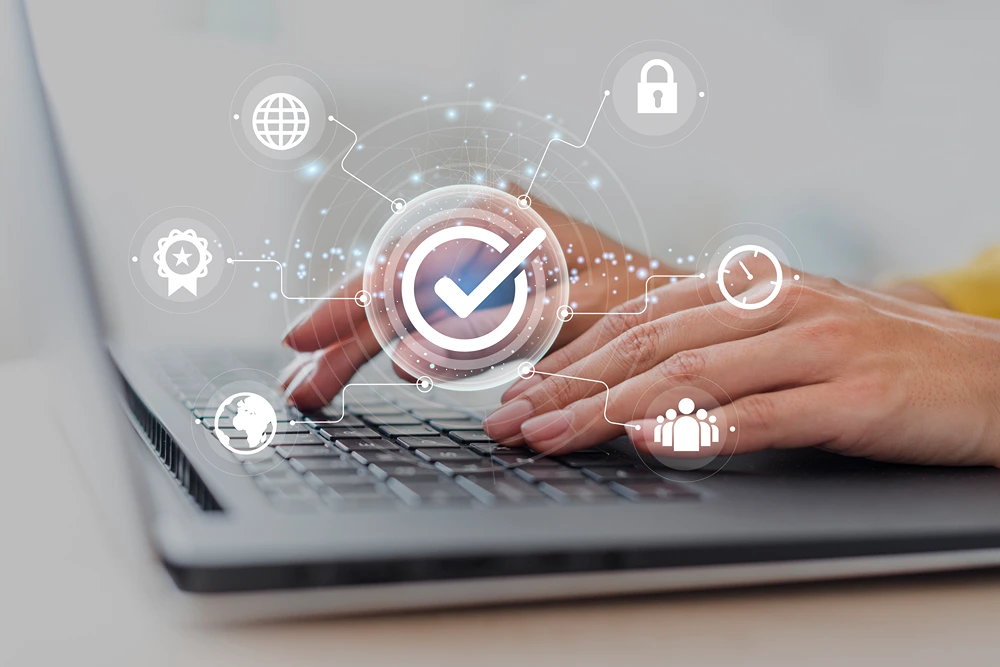
A woman's hands typing on a laptop.
Image by freepik

3. Develop a System Security Plan (SSP)

A System Security Plan (SSP) is a fundamental document required for CMMC compliance. It describes a company’s policies, procedures, and controls in safeguarding CUI and FCI. An SSP formulated correctly demonstrates a company’s seriousness about cybersecurity and makes assessors observe how security controls are in practice.

Moreover, an SSP would typically include a summary of organizational infrastructure detailing such items as structure within a network, hardware, and software.

Additionally, it comprises a comprehensive list detailing the current security controls and how they are deployed, updated, and maintained.

4. Implement Required Security Controls

After identifying gaps in the readiness evaluation and capturing security policies in the SSP, the next step is implementing the required controls. These are protection against threats in the cybersecurity field and are in accordance with the CMMC model.

Key measures include access control to restrict system access to authorized personnel, multi-factor authentication (MFA) to enhance login security through multiple identity verifications, and encryption to safeguard confidential data both in transit and at rest.

Effective implementation requires a combination of technological solutions, policy enforcement, and employee education to maintain a secure environment.

5. Train Employees on Cybersecurity Best Practices

Even the most advanced security controls are ineffective if employees are unaware of cybersecurity best practices. One of the most frequent reasons for breaches is human error; thus, cybersecurity training is a key component of CMMC compliance.

Employees should be trained in how to identify phishing and social engineering threats, how to handle Federal Contract Information (FCI) and Controlled Unclassified Information (CUI) correctly in a bid to avoid unwanted exposure, and how to use strong password procedures.

Periodic training enforces the use of good security procedures as well as creates a security-mindful work environment.

Hands of professional man looking a security details on a tablet.
Image by freepik

6. Perform Continuous Monitoring and Internal Audits

Cybersecurity is not a one-time effort but a process that requires constant monitoring and evaluation to maintain ongoing compliance with CMMC. Therefore, continuous monitoring is necessary to identify and address potential threats in a timely and responsive way.

A key feature of continuous monitoring is regular security audits. These audits assess the effectiveness of controls in place and whether they align with compliance mandates and emerging threats.

Another crucial feature is the ability to leverage real-time threat intelligence with the help of security information and event management (SIEM) tools.

7. Schedule and Pass the CMMC Certification Assessment

The final process for achieving compliance with the CMMC is preparing and taking the official examination with a qualified third-party assessment organization (C3PAO). This examination involves the assessment of documents like the SSP, interviewing necessary employees for assurance of cybersecurity processes, and technical tests for evaluating the security controls.

A cybersecurity team working in a large office.
Image by rawpixel.com on Freepik

Wrapping Up

Becoming CMMC certified is a significant step for companies dealing with sensitive government information. Although the process could seem intimidating, the process is made simple with these seven major steps.

Moreover, familiarizing yourself with CMMC mandates, doing a readiness evaluation, developing a System Security Plan, and taking the certification exam collectively aim for a sound cybersecurity position.

Beyond compliance, these actions serve to establish a better secure and resistant infrastructure against threats in the cybersecurity space.


Share This Article

Creating a Child-Friendly Digital Experience: Essential Safety and Security Tips for Parents

Two boys having fun surfing the internet on a laptop.

As a fundamental part of communication, education, and entertainment, the Internet is essentially unavoidable in modern life. One way or the other, our children are going to start engaging with it at some point, and that will expose them to a variety of potential online risks.

As parents, it’s our job to mitigate these risks and make sure that they remain safe and secure when they begin their digital journeys. In this piece, we’ll discuss some key steps we can take to do exactly that and ensure that our kids have the best possible introduction to the online world.

Make use of parental controls and filters

First and foremost, consider using parental control settings and content filters, especially in the case of younger children. This will give you a way to restrict access to potentially harmful websites, preventing your kids from unintentionally putting themselves at risk. Nowadays, all of the most popular web browsers have options to restrict access to certain sites, and internet service providers also offer features for customizing your connection and blocking content that you don’t want your children running across. Setting safe search engines as the default on your household devices will also help filter out potentially inappropriate or unsafe search results to ensure safe and secure browsing.

Additionally, it may be worth installing RMM (Remote monitoring and management) software on your devices. This type of application is commonly used by companies managing remote employees, but it can be equally useful for parents who want to keep an eye on their children’s device usage and habits.

Prioritize password management

Despite all of the developments and advancements in cybersecurity, weak passwords remain one of the biggest risks, so it’s important to take an active role in ensuring good password management for any online accounts your kids are using. Ensure that they are using strong passwords that are difficult to guess and contain a combination of letters, numbers, and special characters. Additionally, it’s also a good idea to have them change their passwords regularly. Using a password manager application can help with this by generating strong passwords for all accounts and storing them in a single secure location.

Keep devices and software updated

Threat actors are increasingly exploiting software vulnerabilities to carry out attacks on unsuspecting parties, so outdated applications and systems represent a growing cybersecurity risk. To ensure that your children aren’t exposed to this kind of risk, you’ll want to keep your devices’ operating systems and installed apps up to date. Providers regularly release new software updates for their products which patch out exploitable vulnerabilities, but keeping up with them isn’t always so easy. By using one of the best patch management software applications available, however, you can automate the update process. This will make sure that the operating systems and applications your kids use are always as secure as possible.

Set up VPNs on your devices

Virtual Private Networks (VPNs) have become extremely popular in recent years, and for good reason. They make a huge difference to online privacy and security, and it’s well worth installing one on all of your devices. VPNs are applications that divert your device’s internet connection, concealing your IP address. This makes it much more difficult for anyone to track your device online. What’s more, they encrypt all data traffic coming from your device, ensuring that it cannot be intercepted and exploited, even when your child is using the device on an open public network, such as at a library, mall, or café.

Modern VPN applications are extremely easy to install, often very cheap or even free, and can usually be activated with a single click. By setting one up on each of your devices and ensuring it’s activated whenever your child goes online, you can add an additional layer of security and privacy for greater peace of mind.

Educate your kids about risks and promote good habits

While it’s highly beneficial to put safeguards in place to help make your child’s digital experience more secure, it’s always advisable to promote an awareness of risks and encourage safe browsing. Assuming they’re old enough, you can take the time to read up on common online risks with your child and teach them how to identify and avoid common threats like phishing and malware. Additionally, kids should be educated on safe habits, such as not sharing personal information online or opening messages from unknown senders. This will help them navigate the digital realm more safely.

If you have a child who is an avid user of social media or online gaming platforms, it’s also useful to teach them healthy habits for their personal well-being. Encourage them to set screen time limits to promote balance between online and offline hobbies, and teach the importance of healthy online interactions and respect in digital spaces. For older children using social media, in particular, it’s also advisable to teach them about fact-checking information that they see online. All of this will help your children to have a safer, healthier, and more enjoyable online experience.

Final thoughts

The Internet can be an unpredictable place in many ways, so it is up to us to take control and put measures in place to establish a safe and secure experience for our children. By taking the steps we’ve outlined above and using the right IT management tools on both PC and mobile, you can do just that and ensure that your kids can enjoy all of the benefits of benefits of the Internet without compromising on safety orwell-beingg.

Share This Article

Protecting Your Digital Footprint with Antivirus Software

A rendition of a digital footprint.

Your digital footprint is the trail of data you leave behind when using the internet. It includes browsing history, social media interactions, emails, cloud-stored documents, and even your online shopping preferences. While much of this data is harmless on its own, in the wrong hands it can be used for identity theft, fraud, or surveillance.

Maintaining the safety of your digital footprint requires proactive steps, starting with strong cybersecurity measures.

Using Strong Anti-Virus Software

Anti-virus software acts as a frontline defense against a wide range of malicious activities, such as:

  • Detecting and removing malware: Malware, which includes viruses, ransomware, spyware, and Trojans, can compromise your personal data. A robust anti-virus system scans for these threats, blocking them before they can infect your devices.
  • Protecting sensitive information: As you browse the web, anti-virus software works in the background to monitor potential threats and protect sensitive data. This includes such as passwords, credit card details, and personal identification.
  • Preventing phishing attacks: Phishing is a tactic cybercriminals use to trick individuals into revealing sensitive information through fraudulent emails or websites. Many anti-virus solutions now come with anti-phishing tools that detect suspicious activities and alert users.
  • Securing real-time updates: Anti-virus software often provides real-time updates, ensuring you’re protected against the latest viruses and malware variations. It’s critical because new cyber threats emerge daily, and outdated protection software won’t offer adequate defense.

Free Anti-virus: Is It Good Enough?

Some users opt for free anti-virus solutions.  While many of these services can offer basic protection against digital attacks, they do not include some of the quality-of-life features that premium solutions offer.

The free anti-virus software provided by Bitdefender, however, keeps you shielded and ethreats at all times, with top level detection and minimum impact on your computer’s resources. It boasts protection against ransomware attacks, rootkits and trojans, zero-day exploits, cryptojacking and ever-evolving AI-powered threats such as “spearphishing”.

Bitdefender’s free solution remains a great option if you frequently engage in online activities that require exposing personal data like shopping and banking, or if you save lots of sensitive personal information to your browsers.

Digital Footprint Safety Tips

Your digital footprint is an ever-present aspect of your online life. Protecting it requires more than just anti-virus software, although that plays a crucial role.  To further enhance your safety, consider following these digital footprint safety tips.

  • Use strong, unique passwords: Avoid using easily guessable passwords like “123456” or “password.” Instead, create complex passwords using a combination of upper and lowercase letters, numbers, and symbols.
  • Enable two-factor authentication (2FA): 2FA adds an extra layer of security by requiring not only your password but also a second form of verification. This can be a text message or email code.
  • Regularly update software and apps: Keeping your operating system, apps, and anti-virus software updated ensures that known vulnerabilities are patched, reducing the likelihood of a cyber-attack.
  • Be cautious with public Wi-Fi: Avoid accessing sensitive accounts (such as banking or email) over public Wi-Fi networks. These networks are often unsecured, making it easier for hackers to intercept your data.
  • Limit personal information sharing online: Be mindful of the information you share on social media and other public platforms. The less personal information you put out, the smaller your digital footprint and the lower your risk of being targeted.
  • Clear your browsing history and cookies regularly: This minimizes the trail of data you leave behind, making it harder for cybercriminals to track your online activity.

Conclusion

In a world where your digital footprint grows with every click and interaction, safeguarding your online presence is paramount. Whether you choose a free or paid antivirus solution, the key is ensuring your digital footprint remains as secure as possible from the ever-evolving world of cyber threats.

Share This Article

For Children’s Safety: How Websites Protect Kids and Teens Online

A simulation showing the biometric scan of a young woman's face.

Children have more access to age-restricted and sensitive content online. While some websites have basic age verification systems in place, let’s face it, anyone can get past them, especially if you’re curious enough to see what’s on these sites.

To protect children and teens during online activities, the US Senate passed two bills in August 2024, namely the Kids Online Safety and Privacy Act (KOSPA) and the Children’s and Teens Online Protection Act (COPPA 2.0).

Both bills aim to keep social media companies accountable for keeping kids safe while they’re on the Internet, and as a response, some platforms have started using biometrics to prevent minors from creating accounts or accessing age-restricted content.

There has been a lot discourse about the pros and cons of biometric security. Although parents have every reason to be concerned about it, biometrics has the potential to keep kids safe, especially at a time when they can access everything with a tap on a screen. Here’s how social media and websites are using biometrics to keep children safe online.

Facial Age Estimation

Depending on how it’s used, biometrics can be a gamechanger or a threat when it comes to protecting individuals online. Since it’s impossible to replicate human characteristics such as fingerprints or facial features, it can be highly useful for things like online banking or digital payments.

However, there’s always the risk of data breaches since poor data management practices can lead to fingerprints or facial scans being compromised. This is why social media platforms and websites should prioritize securing biometric data, especially if they intend to use it to restrict minors.

One such platform that has started implementing stricter measures to verify users’ age is Instagram. Typically, social media sites would just ask users to input their birthday to create an account, but Instagram has started using a facial age estimation software called Yoti for biometric analysis. The software prevents users from representing themselves as older or younger than they really are, which means that it’s not just kids who are prevented from making accounts, but also older people who intend to prey on children and teens online.

To address privacy concerns, Instagram’s owner, Meta Platforms Inc., says that the stills from video selfies are deleted immediately after verification, and adds that Yoti cannot recognize a user’s identity based on their videos or pictures.

Digital ID

Apart from selfies or real-time video clips, biometric systems can also use digital IDs to prove that a person is old enough to access content or use certain platforms. Although there are concerns that they might be accessed by cybercriminals, digital IDs are in fact incredibly safe since they require multi-factor authentication and data encryption, making identity theft nearly impossible.

Certain states, such as Georgia, are now requiring people to submit digital IDs to access pornography websites, or any other site that is deemed to be harmful to minors. Doing so restricts children and teens from viewing explicit material, as well as simulated sex acts or animated porn.  Other states that have passed or agreed to pass age verification laws on pornographic websites include Florida, Alabama, Nebraska, Indiana, Arkansas, Idaho, Montana, Mississippi, Oklahoma, North Carolina, Virginia, Utah, and Texas.

The core function of these age verification systems relies on the accurate and secure handling of sensitive personal information. Businesses that must comply with strict regulatory frameworks, particularly in finance and gaming, depend on robust platforms to manage the integrity of identity verification data for KYC services (Know Your Customer) to prevent fraud and maintain legal compliance.

Multi-Authentication Using Biometrics is on the Horizon

It’s only a matter of time before we see popular platforms use multi-authentication processes to prove a user’s identity and protect minors during online activities. Apart from age verification with an ID and selfie capture, websites may use systems for biometric authentication, deepfake detection, and document verification to prevent even the most advanced Internet users from faking their identities. We can also expect these systems to have global coverage, enabling them to access data from different parts of the world.

Protecting kids and teenagers from harmful content, as well as stalkers and cybercriminals, should be a priority at all times. Biometrics can keep children safe while they’re online, but parents and teachers should also do their part to monitor kids’ online activities and educate them on best practices to keep them out of harm’s way while they’re on the Internet.

Share This Article