Category: Parenting

Screen Time Rules for a Colorado Parenting Plan

A young boy plays a game on his smartphone as approving dad watches on

A phone gets taken away at one house and handed back at the other. A game banned on Monday is fine by Friday. For a child with two homes, mixed screen rules can feel like a loophole. For the parents, they often become the next fight.

In Colorado, many of these fights can be settled on paper before they start. Palmer Family Law is a Parker, Colorado family law firm that helps parents develop parenting plans and seek changes to custody orders.

This article is general information, not legal advice. It cannot predict how a court will rule in any case.

Why Should Device Rules Go Into the Parenting Plan?

The average screen day for US children aged 8 to 18 runs 7 1/2 hours, says the American Academy of Child and Adolescent Psychiatry (AACAP). The same page lists risks such as cyberbullies and predators, sexual content, and misleading information.

A written term is easier to point to than a verbal deal. Colorado calls custody the “allocation of parental responsibilities.” Palmer Family Law’s child custody page splits it into parenting time and decision-making responsibility. If both parents agree on every part of a plan, a judge may not need to step in.

Shared habits for establishing internet safety in two homes come first. This piece is about writing them down and changing them later.

What Could a Screen Time Clause Cover?

The AACAP page suggests these age-based limits:

  1. Until 18 months, screen use limited to video chatting along with an adult.
  2. From 18 to 24 months, educational programming watched with a caregiver.
  3. For ages 2 to 5, about 1 hour of non-educational screen time per weekday and 3 hours on weekend days.
  4. For ages 6 and older, healthy habits and limits on screen activities.
  5. At every age, screens off and out of bedrooms 30 to 60 minutes before bedtime.

Parents can then add terms that fit their own child:

  • Which apps, games and social platforms are allowed, and at what age
  • Whether both homes use the same filters and parental controls
  • Who decides when the child gets a first smartphone
  • Where devices charge overnight in each home
  • How the child may call or video chat with the other parent

A child’s search settings may not travel from one home network to the other.
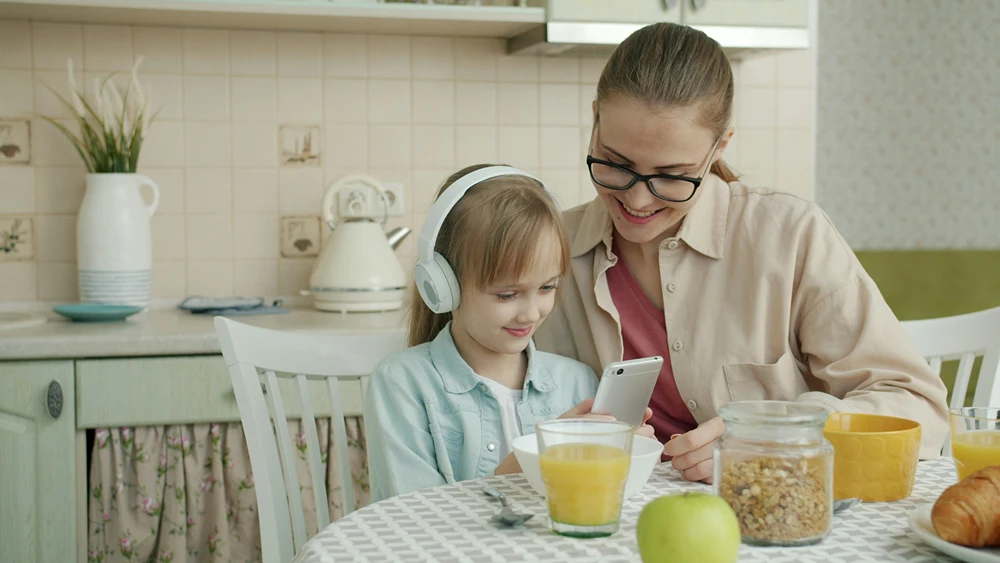
Mother and daughter listen to music together
Photo by Vitaly Gariev on Unsplash

How Does Colorado Law Treat a Change Versus a Restriction?

Colorado law separates two kinds of change to parenting time, and different standards apply to each.

A court may modify parenting time if the change is in the best interests of the child. That comes from section 14-10-129(1)(a)(I), C.R.S. A restriction faces a higher bar. A court may not restrict parenting time unless it finds the parenting time would endanger the child’s physical health or significantly impair the child’s emotional development.

The Colorado Supreme Court drew the line between the two in a 2026 ruling, In re Marriage of Dale, 2026 CO 35. It held that a restriction means zero parenting time, or qualitative constraints on the manner, location or environment of parenting time. Its examples were supervised visits, no overnight visits, or a set location. The court also said that not every qualitative term or condition is a restriction, including minor ones.

In that case, a father’s parenting time was cut by about 45 overnights a year, or 28.1%. The court treated it as a modification, so the best-interests standard applied. The opinion also notes a limit in subsection (2). A modification cannot both substantially change parenting time and change the parent the child mostly lives with. The exception is when the court makes one of four findings set out in the statute.

Whether a device rule is a minor term or a real constraint depends on the facts, so ask a Colorado family lawyer.

What Happens When One Parent Files a Motion?

Colorado court form JDF 1406 handles both kinds of request.

Step Motion to change parenting time Motion to restrict parenting time
Standard stated on the form Changes in the best interest of the child Child in imminent or immediate danger from the contact
Response time 21 days to file a written response Response may be filed on or before the emergency hearing
Hearing Timing not stated on the form Within 14 days of filing, if granted by the court
Interim request None on the form Supervised parenting time until the hearing

Two people sitting at a cafe tablePhoto by Johan Mouchet on Unsplash

The form tells the filing parent to check whether the current order requires mediation before filing. It also asks whether a change was requested in the last 2 years. Supervision, if ordered, is provided by a licensed mental health professional or someone the court appoints.

Can Screen Time Disputes Stay Out of Court?

Palmer Family Law’s page notes that a court is more likely to approve a change when both parties agree to it. When parents cannot agree, there are options short of a full hearing:

  • Mediation, which some orders require before a motion is filed
  • A talk with a family lawyer about filing an agreed change
  • A parenting coordinator or decision-maker (PC/DM) appointed by the court

Palmer Family Law’s attorneys act as court-appointed PC/DMs around Parker. The firm says this role covers clarifying and implementing court orders on parenting time, and making final, binding decisions on parenting issues when necessary. It also says working with a PC/DM is often faster and less expensive than going back to court.

Write the Rules Down Before the Next New Device

Write device rules before a dispute, not during one. Start with age-based limits and keep both homes on the same filters. If a change becomes necessary, know which standard applies before you file. Palmer Family Law offers a free 30-minute consultation by phone, video or in person.

Frequently Asked Questions

Can a Parenting Plan Include Screen Time Limits?

Parents can agree on device terms and include them in their plan. How a court treats a specific term in a dispute depends on the facts.

Is Taking Away a Phone During Parenting Time a Restriction?

It depends on the facts. The Colorado Supreme Court tied restrictions to zero parenting time or constraints on the manner, location or environment of parenting time, such as supervision. It also said minor qualitative terms are not automatically restrictions.

How Long Does the Other Parent Have to Respond to a Motion?

JDF 1406 gives 21 days to file a written response to a motion to change parenting time. For a motion to restrict, the response can be filed on or before the emergency hearing. That hearing is held within 14 days of filing, if the court grants it.

Should Both Homes Use the Same Parental Controls?

Matching controls leaves fewer gaps a child can exploit. AACAP advises parents to learn about and use parental controls. Writing the settings into the plan gives both homes one reference point.


Share This Article

Real-Life Budgets: Family Activities That Show Teens What Adult Life Costs

Parents and children laying on their backs on the floor with heads together and laughing.

Perhaps your teenager is about to get their first credit card or make a big-ticket purchase with their paychecks from a seasonal job. Parents can set up their kids’ financial mindsets before a debit card reaches their hands. Fortunately, it can be gamified so they feel the gravity of their upcoming financial situations.

These activities will prime them with what they need to never go into overdraft and even think about starting retirement savings early.

The Full First Apartment Theatrical Experience

Best for: Developing an understanding of fixed, repeat costs, net pay and housing trade-offs

Time needed: 45 minutes to an hour, depending on location

Tools: Computer or phone, a calculator, and scratch paper

Start the apartment experience by setting the scene — your child just got hired for a great entry-level job. The hourly rate is a realistic living wage for food, housing and other essential needs in your area.

Calculate take-home pay after taxes first, framing it as the figure that dictates how much is left for fun extras like throwing an affordable party or aesthetic improvements. Then run through the simulation:

  • Send them on a “quest” to solve a puzzle using a take-home pay calculator to determine after-tax income.
  • Look up rental prices for local apartments to make it feel real and immersive.
  • Play the landlord, having them subtract up-front and monthly costs like security deposits, internet setup, water estimates, insurance and more.

Check their work, and then introduce the plot twist for the climax of the activity. Explain that this is why people seek roommates or shorter commutes. They can draw conclusions about how much they will be able to spend in the future with optimism.

The Grocery Store Showdown

Best for: Putting a price to daily food choices and how much a balanced diet costs

Time needed: 15-30 minutes to plan and one hour at the store

Tools: A predetermined budget, based on your local grocery prices

The first apartment experience sets your child up well for upcoming budgeting activities — it lays the groundwork for having more accurate expectations. Next is a gauntlet at the grocery store, where you send your kid off into proverbial battle for a practical and nutritious food hunt against the seasoned pro, yourself.

Set up the challenge parameters, such as the number of portions or days you want to prepare for one person. Give them time to strategize, see what’s in the pantries to use and write down ingredients. Then, head to the store. Set a time limit if you want, or give them freedom to explore and compare prices between brands.

Debrief by comparing each haul based on how much you got for your dollar and how nutritious the items are. This will teach them how varied grocery budgets can be, how far they can go and what amenities are worth the upcharge, such as pre-cut fruit if you have no knife skills.

The Household Utilities Sleuth

Best for: Discovering the variability of the bills that keep homes running

Time needed: 20-30 minutes

Tools: Up to five recent billing statements for each bill

Lay everything out, complete with red string, pins, a magnifying glass and sticky notes, if you’re feeling thematic. It’s time to have your kid investigate the utilities they may never have considered before or know how they are paid, like trash, gas, water, electricity and internet. Give them some time to explore the static bills, like internet, and the variable bills, like electric in summer and winter. Let them take their detective notes as they scan line items to find trends.

Then, let them present their findings to you, the judge. Have them explain the most expensive culprits, using evidence to justify their claims. This will help them see that every time they turn on a light or take a long, hot shower, it isn’t free. Feel free to ask follow-up questions like in a real investigation.

The Emergency Countdown Simulation

Best for: Highlighting the importance of a cushion instead of spending all unused income

Time needed: 30 minutes

Tools: Index cards and a bowl

Present your child with the budgets they drew earlier. Let them practice reviewing it using the new financial information they have after these other activities, helping them align their financial goals and priorities. Then, give them a bowl where you have folded up index cards containing many surprise expenses young people experience, such as:

  • Tire patch for $40
  • Replacing a broken phone screen for $100
  • Unexpected urgent care copay and prescription for $175
  • Forgot to cancel an annual auto-renewal subscription for $250
  • Speeding ticket for $300

Have your kid draw two random cards from the bowl and solve their budget. Ask them guiding questions, such as what line items they will reduce to account for these expenses. This illustrates how quickly unexpected expenses derail a budget and why building a dedicated monthly emergency fund is essential.

Doing It for the Love of the Game

You have a lot of room to play with financial education, and it’s important to do it before your children actually assume monetary responsibilities. Many feel unprepared to face adulthood, but these activities can make learning fun and tangible, teaching them skills they will bring into every month’s budget audit in their early twenties.

Tessa DodsonTessa Dodson is the Senior Writer at Classrooms.com and a former career coach dedicated to supporting teachers and students with practical and accessible educational resources.

When she’s not writing, you can find her diving into research or catching up with her latest read.

Share This Article

What Safety Rules Should You Set With a New Nanny?

A nanny watches a child build a block tower.

Here’s a quick test. If your nanny posted a sweet photo of your daughter at the park this afternoon, with the park tagged, would you know? And would she know she shouldn’t have?

For a lot of families, the honest answer to both is “probably not.” The nanny background check came back clean, the references glowed and the kids adore her, so the hiring part feels finished. But a background check only tells you about someone’s past. It can’t tell her your rules on photos, screens, car rides or visitors, and many nanny mix-ups happen simply because nobody said those rules out loud.

Hiring a nanny safely has two halves: choosing the right person, and then giving that person clear house rules. Six short conversations in the first week cover almost every gap. Here they are, ideally written down so everyone starts on the same page.

What a Nanny Background Check Does and Doesn’t Tell You

A standard nanny background check usually covers identity, criminal records and, depending on the service, driving history and sex offender registries. That’s an important floor, and it’s worth asking exactly which databases were searched and how recently. Reputable nanny agencies typically screen and interview candidates before placement, but house rules are still the family’s job.

What no check can show is how a caregiver will handle the gray areas of your particular home. That gap says nothing bad about her. She simply hasn’t been told yet. Most good nannies welcome clear rules, because guessing is stressful for them too.

Your Nanny Social Media Policy

Photos are the conversation parents forget most often, and a written nanny social media policy takes about ten minutes to agree on. A few questions to settle together:

  • Can she post photos of your children anywhere, including her own private accounts?
  • If so, are faces okay, or only hands, backs and silhouettes?
  • Location tags, school names and uniforms stay out, since they reveal routines.
  • Can she share photos in a group chat with other nannies or a playgroup?

Many families land on one simple rule: photos go to the parents only, and the parents decide what goes online. Whatever you choose, put it in writing so it doesn’t depend on anyone’s memory.

Nanny Screen Time Rules While You’re Out

Your rules shouldn’t change just because you’ve left the house. Clear nanny screen time rules are specific: how much time per day, which shows or apps are allowed, and where devices live, such as shared rooms only. Mention any parental controls you’ve set up and ask her to leave them as they are.

Talk about her phone too. Most parents are fine with a nanny checking messages; fewer are fine with long scrolling at the playground. A friendly “phone away during outdoor play and bath time” sets the tone without micromanaging.

And cover the moment you hope never happens: if a child sees something upsetting online, the plan can be as simple as “close it, comfort them, tell me tonight.”

A woman interacts with a young boy at home.

Driving, Car Seats and Who Else May Ride

If your nanny will drive the children, settle these before the first outing:

  • Whose car, and whose insurance covers it.
  • Car seats: who installs them, and a check together that they’re installed correctly. Certified child passenger safety technicians offer seat checks in many communities, and you can find one through NHTSA’s car seat inspection locator.
  • Phone use while driving: hands-free only, or none at all.
  • Passengers: can she give a ride to another nanny, a friend or her own child?
  • Destinations: which trips need a quick text first, such as anything involving the highway.

Visitors, Outings and Check-Ins

Can a friend of hers stop by? Can the kids join a playdate at another family’s house while you’re at work? Is the neighborhood pool okay in summer?

Sort plans into three groups: automatic yes, ask first, and no. It sounds formal, but it saves both of you from awkward texts later.

Pickups deserve their own short list. Write down which adults may collect the children from school, practices or a friend’s house, and share the same list with those places. If someone new needs to do a pickup, the rule can be that you text the school and the nanny yourself, so nobody has to guess whether a change is real.

Agree on check-ins as well. Some parents love a midday photo or a quick “nap went well.” Others prefer quiet unless something comes up. Either works, as long as you both know which one you’ve chosen.

The Emergency Plan

Finally, the conversation you hope will stay theoretical. Before her first solo day:

  • Confirm she’s current on infant and child CPR and first aid, or book a class together.
  • Post allergy and medication information on the fridge, with doses and the pediatrician’s number.
  • Write down who to call, in order: 911 in an emergency, then you, then a backup adult nearby.
  • Show her where the first-aid kit, flashlight and spare keys live.
  • Keep your full address and nearest cross street by the phone, since a nervous caller can forget them.
  • Walk through a power outage, a lost child at the park and a sudden fever.

It takes about twenty minutes, and it means a scary moment starts with a plan.

Put It All on One Page

Gather every decision into one shared document and look at it together again after the first month. Kids grow, routines shift, and the best nanny relationships are the ones where rules feel easy to talk about.

A simple format works well: one line per rule, plus a short reason. “No location tags, because they show where the kids go every day” is easier to remember, and easier to respect, than a bare “no tags.” Keep the page on the fridge or in a shared note, and add to it whenever something new comes up, like a first sleepover, a new driver or the first summer at the pool.

The background check got her through the door. These conversations are what keep everyone safe once she’s inside.

Share This Article

Before You Share: A Practical Photo Privacy Plan for Preschool Families

Smiling young girl in a lilac sweatshirt, her face and hands smeared with paint, holds a brush above a sheet covered in colorful paint blobs.

A photo of a child’s first painting or a new friendship can feel too lovely to keep to yourself. Yet a quick post can reveal more than you expect. A simple family photo plan helps you celebrate the moment while giving young children more privacy and a growing say in what happens to their image, now and as they grow.

Start with a conversation, not a checklist

Preschoolers may not understand every consequence of an online post, but they can begin to understand that their image belongs to them. Ask, ‘Is it okay if I take this?’ and explain what you plan to do with the picture. If your child says no or turns away, respect that answer when practical.

You can also tell family members what you would like them to do. A useful rule is to ask a parent before posting any child’s photo and to check with the child too. Make room for relatives who live far away: a private call or a small shared album can still help them feel connected.

Look beyond the smiling face

Before sharing, scan the whole image. A uniform, name badge, street sign or familiar routine can reveal where a child spends their time. The background may also contain another child whose family has made a different decision about sharing.

Avoid adding full names, dates of birth, addresses or live location details to captions. Check whether your phone adds location information to photos and remove it where possible. Remember that even a restricted audience can save or screenshot an image; privacy settings reduce exposure but do not guarantee control.

The eSafety Commissioner’s privacy advice for parents explains how images can disclose personal details and why it pays to pause before posting.

Ask the early learning service how images are handled

Photos can give families a window into a child’s day and help educators document learning. Before agreeing to image use, ask what is photographed, why it is needed, who can see it and where it is stored. Find out whether consent for a secure family app is separate from consent for a public website or social media.

If you are considering an early learning centre, or a service elsewhere, ask to see its current image and privacy policies. What happens when a child appears in the background of a group photo? How can a family change its preferences? How long are images kept after a child leaves?

The national early childhood regulator’s guide to personal information outlines risks and safeguards services can consider. Policies and legal requirements can change, so ask the service how its current procedures apply to your family.

Choose a smaller audience on purpose

A closed family group may be more appropriate than a public post, but check who belongs to it and whether members can invite others. Use unique passwords and multi-factor authentication where available. Review access when a relative changes devices or a family situation changes.

For especially personal moments, consider sharing the story instead of the image: ‘She made a huge paper rocket today!’ You might photograph the artwork by itself or crop an image so the child is not identifiable. These choices are not about hiding childhood; they give families options.

Practise consent through everyday play

Make privacy a small, ordinary habit. Let your child take a photo of a toy, then ask whether the toy wants its picture shared. Model asking a sibling before taking theirs. If a child changes their mind about a photo you control, delete it or explain what you can and cannot remove.

Avoid promising that everything online can be erased. Instead, show children that adults can listen, make careful choices and fix what they reasonably can. Keep the conversation light and age-appropriate rather than making the internet sound frightening.

Review your family plan together

Once or twice a year, check old albums, app permissions and your sharing settings. Ask caregivers about any changes to their processes. A new phone, a new preschool room or a change in family circumstances is a good reason to revisit your choices.

A family agreement does not need to be complicated. Decide which moments stay completely private, who can receive pictures and whether relatives may share them again. Write those choices down so a babysitter or grandparent can follow them too. If a photo is shared accidentally, ask for it to be removed promptly and talk calmly about how to prevent the same mistake next time.

There is no single rule that suits every family. The goal is to make sharing deliberate: protect identifying details, understand who can access each image and give children a voice as they grow. Those small habits make it easier to enjoy the memories without sharing more than you intended.

Share This Article